Spring cleaning in the age of AI
Struggling with messy data? Discover how digital cleanup helps both people and AI find the right answers.
By Ed Player
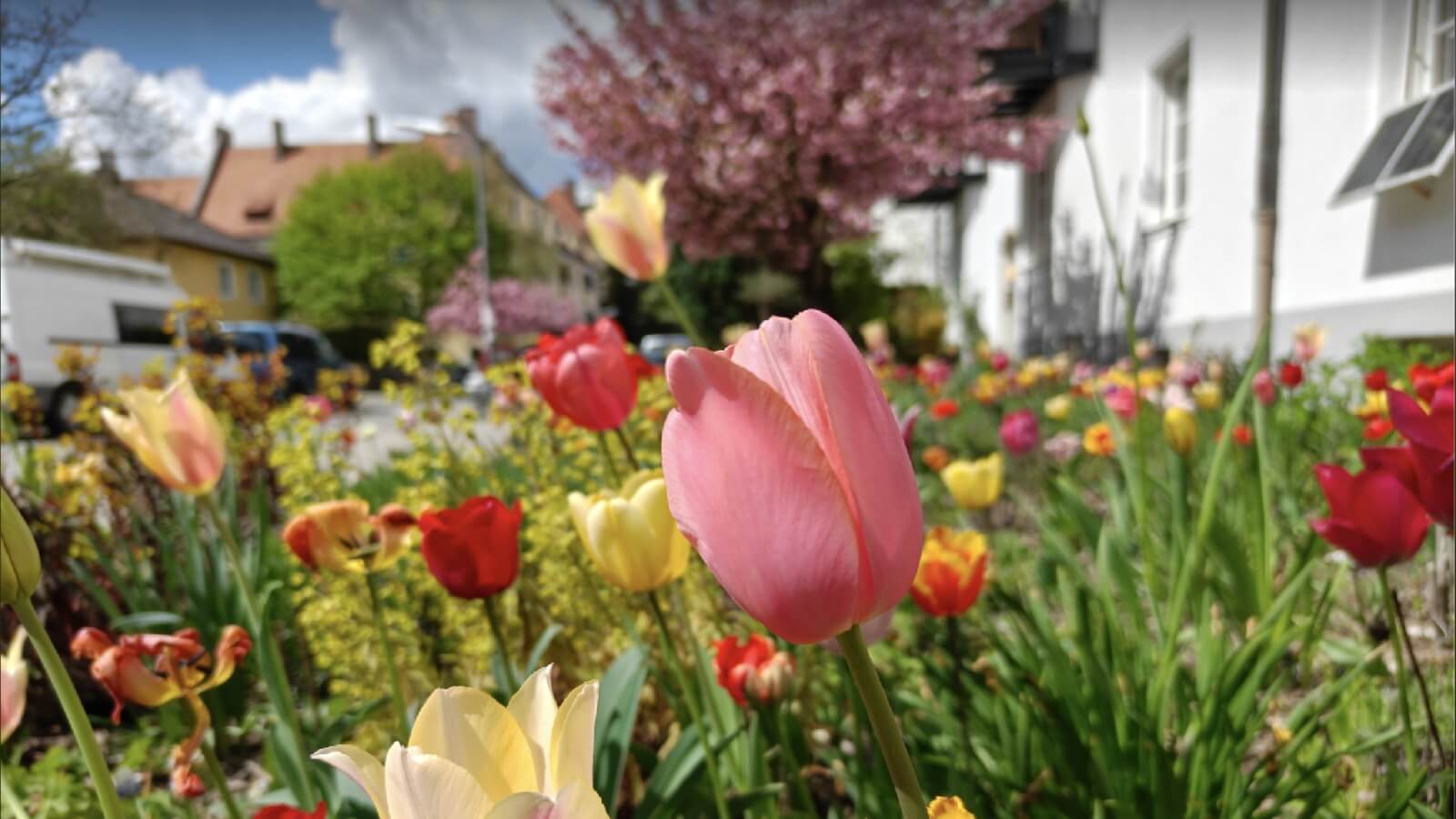
“Yes, yes”, as Fats Waller would ad lib; it is time to talk about spring cleaning!
Even the world's greatest hoarder probably would not create as much clutter as the average modern-day computer user. I have not verified this; it's just a gut feeling, so apologies to anyone who enjoys hoarding and to ultra-tidy super-users!
While most Arm blog posts focus on specific technologies, this article is for anyone using a computer, tablet, or mobile phone - whether at work, at home, or on the move.
Have you ever been asked to help free up storage on a mobile phone by a family member or friend?
If so, you might initially spend 5 to 10 minutes discussing this topic. If you are lucky, you will successfully persuade the data mess-maker to spend less time taking photos of their food (or tulips) and schedule a bit of time to remove unwanted data. If that fails, they might pay for additional cloud storage, or in extreme cases, they might buy a new device with more memory, even though there was nothing fundamentally wrong with their current one.
Worst case scenario: it's your own mobile phone!
Do you keep your computer as tidy as your home?

So what has this got to do with AI?
It's 2026. There's a high chance you've been there. You search for something in your favorite AI search engine and it returns complete nonsense, or worst of all it returns something that sounds perfectly plausible and you believe it at first. Only later you realize that you blindly accepted the answer without verifying it.
On the other hand, AI tools can be fantastic and these are examples of AI tools that I use for work:
|
"AI models search through data and attempt to provide answers to questions. If the data is clean and accurate, AI has a much stronger chance of returning useful information."
That's not a quote, I just made it up.
I am still learning how to use AI effectively, but after chatting with more experienced colleagues, I am convinced that we should spend more time keeping our computers tidy, and that digital spring cleaning is increasingly important in the age of AI
What do the folks on the Internet say?
Plenty of blog posts and videos explain how to name folders and files sensibly and how to manage your email. There are also specific tools available to help users with digital spring cleaning. Today, there are even some newer AI tidy-up tools. However, once again, do not blindly use recommendations or tools without evaluating them thoroughly.
Let's start spring cleaning
There is no magic wand that can answer all the following questions . The hope behind this article is for any team or individual to:
- Analyse the organization of your computer systems
- Spark discussions around digital spring cleaning
- Schedule time for digital cleanup
In this context “spring cleaning” includes the following:
- Archive data: move inactive data to a defined location and mark it as archived
- Sync data appropriately: for example, back data up to cloud storage
- Review data on a regular basis
- Structural changes: move data into a suitable location
- Remove obsolete data: see below for more information about when to remove data completely
I welcome any feedback or suggestions from you and your teams.
What should we keep tidy?
Whilst writing this article, I realized that it might help to analyze the state of my own personal and team spaces.
It also makes sense to divide this topic into two parts:
Which personal spaces should we keep tidy?
- For example: hard disks on our laptops and desktop PCs, personal spaces on the intranet, and offline and online tools or applications
Which shared team collaboration spaces should we keep tidy?
- For example: internal shared tools and channels, intranet spaces, and external websites
There is an argument that you can do whatever you like within your own spaces (“It's my party, and I'll cry if I want to”). Nevertheless, maintaining an organized personal system can improve efficiency and some personal spaces are visible to others.
At the end of this article (see Appendix), there are two simple tables showing example systems and how they might be reviewed. They are intended as a starting point for analyzing your own setup. I have written more detailed versions of these tables for both myself and people I work with. They list about ten specific personal systems and specific shared systems, and I found the exercise useful.
How often should we carry out a digital spring clean?
Despite having just said that AI search engines can return complete nonsense, here's a shortened version of ChatGPT's recommended cadence for spring-cleaning:
- Continuous (Daily/Weekly) - Light hygiene, automated where possible
- Quarterly (Every 3 Months) - Operational clean-up ; EP: apparently the “sweet spot for most companies”
- Annually - Strategic review + compliance alignment ; EP: apparently the real "spring clean”
Sounds reasonable to me.
When should we delete old stuff?
Think about this carefully because it might be difficult to reverse.
There is certainly a lot of old content and data that has been superseded or no longer correct. Spring cleaning does not necessarily equate to “content removal". We can remove old items, but we should always consider updating or archiving beforehand. Old stuff might also be of historical importance or provide some form of nostalgia. More importantly, perhaps there are still some people out there who need specific information or a specific tool. For example, we recently received a, rare but valid, request for a copy of Arm Developer Suite, a product more than 20 years old, not Arm Development Studio.
Consider the following questions:
- Has it been superseded? If yes, then ensure redirects are in place and archive the data. Make sure other sites that refer to the information are updated.
- Is it not quite right yet, but still useful enough to keep and improve? If yes, then add a task to update the information.
- Are there any users out there who need this information still? If you're certain that this content is no longer needed, then fine, you can probably remove it. Not sure? Then leave it be and review again later.
- Is it incorrect and totally useless? Then simply get rid of it.
Why can't I be messy?
Please don't take this the wrong way and get the impression that I'm some sort of cleaning control freak. There are times when being super messy and creative is the best approach. We need spaces and forums to think, create and innovate; being messy is fine too. As long as you tidy-up afterwards!
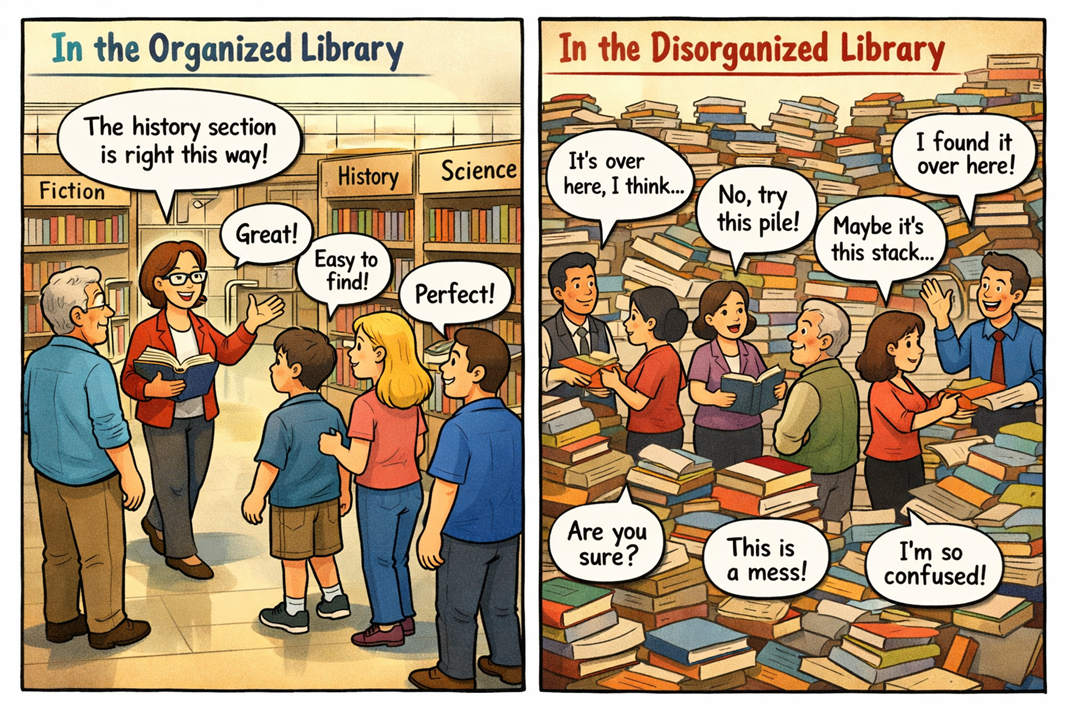
AI prompt:
Can you create a two-panel comic in an illustration/cartoon-style? One panel should show: A librarian guiding 5 people through a properly organized large library to find what they need. This should seem systematic and easy. The other panel should show: 5 librarians guiding one person each through a completely disorganized library where all the books are in giant piles instead of being organized in shelves. This should seem disorganized and confusing, often resulting in different answers to the same question. I want to use this as part of a talking point about how organized content and tidy content is better for an AI to index and learn from than trying to find patterns from disorganized untidy content.
How do you and your teams keep computers tidy?
IT teams all around the world aim to filter out pretty much all spam email and provide us with secure storage for backing up our files. Our own IT team refurbishes old machines so they can be reused and don't go to waste.
I wonder how different teams across the world approach digital spring-cleaning - I suppose there are probably some more technical terms for this like data lifecycle management or information governance. Surely some teams have regular routine clean-up days?
For me personally, I find that the period between Christmas and New Year and early January is a natural time for a digital cleanup.
Also, since 2020, there’s even been an official Digital Cleanup Day.
Should we carry out more regular digital spring-cleaning work? Probably, yes.
How do we resist the temptation to create more mess?
Do not just create content without a clear purpose. Several years ago now, my team were encouraged to create a summary article for every single customer-facing case we answered. This resulted in a vast amount of useful knowledge base articles and FAQs, but as you can imagine, there were also a vast number that simply weren't up to scratch.
Always consider the requirement for the data or content first, who the audience is, and what the use cases and objectives are. Think about where the data should end up and its longevity.
Don't necessarily always go with the flow, just because your team has always created data/content in a similar way. Using a familiar system or mechanism you’re comfortable with doesn’t mean you should fall into an eat-sleep–repeat cycle. Keep questioning, be curious and apply meliorism.
Why didn't anyone teach me how to keep my computer tidy?
At school and university, there was not as much space available for storage and perhaps I was more diligent at keeping everything a little bit more tidy. Teachers and lecturers reminded us to "save our work" before logging off or shutting down the program or system. However, I cannot remember anyone formally teaching me how to organize my files and folders.
Thinking about it a little more deeply, tidiness in computing is not just to do with helping AI return better search results. It has much broader implications for other areas such as security and sustainability.
If you are still reading, do you have any memories of being guided on how to keep your computer tidy?
Takeaway
Artificial Intelligence and AI tools can help us in so many ways, but they do not remove the need for good information hygiene. They make it more important.
We should remain vigilant and avoid using AI as a crutch - or as an excuse not to organise our content.
Traditional search tools are becoming less dominant and information today is not necessarily consumed directly, but rather indirectly via AI search tools. Recently at work, I've heard conversations that include phrases like “AI-assisted search is just another tool” and the classic phrase “know your tools”.
It is also becoming increasingly important to verify sources. When creating content, we need to establish routines to keep it relevant, accurate, or aim to create timeless and frictionless content.
And last, but not least, do not forget we have a natural intelligence.
Happy springtime to everyone!
If you and your teams end up discussing spring cleaning, or even pencil in a specific spring-cleaning date, feel free to share your thoughts.
Questions to ask yourself or your teams
- How many software repositories are you a member of that overlap with each other?
- How many communication channels are you a member of and how many of them overlap with each other?
- How many different internal or external web pages have you come across on similar topics from different people that do not necessarily match each other?
Appendix: My tidy-up review
The tables below reflect some of my personal setup and habits. Your tools and workflows may differ, but the same principles apply.
My PC and personal spaces
| System | Current State | Tidy What? | Frequency |
|---|---|---|---|
| Personal folders (Desktop / Downloads) | Clutter builds up over time, especially with temporary files and downloads | Review, rename, and archive files; delete anything no longer needed | Monthly |
| Web browser (tabs, bookmarks) | Too many open tabs and saved pages can make it harder to find what you need | Close unused tabs, group related tabs, clean up bookmarks | Weekly / Monthly |
| Inbox can accumulate newsletters, notifications, and outdated threads | Review and unsubscribe from unnecessary emails; delete or archive old messages | Daily / Monthly | |
| Virtual machines / development environments | Large environments can accumulate unused files and outdated data, consuming a vast amount of hard disk space | Clean up unused files, snapshots, and environments | Ad hoc / project-based |
| AI tools (e.g. ChatGPT, copilots) | Conversations, prompts, and saved outputs can become outdated or cluttered | Review, rename, and organize useful prompts; verify accuracy of outputs | Monthly |
| Other tools / apps | (Your notes here) | (What would you tidy?) |
(How often?) |
My shared spaces
| System | Current State | Tidy What? | Frequency |
|---|---|---|---|
| Documentation / knowledge base | Content can become outdated, duplicated, or hard to navigate over time | Review key pages, remove or archive outdated content, clarify ownership | Monthly / Quarterly |
| Messaging platforms (e.g. Slack, Teams) | Large number of channels; some inactive or overlapping | Archive unused channels, review naming conventions, adjust notifications | Monthly |
| Version control / repositories | Repositories and branches can accumulate and become hard to maintain | Archive unused repos, clean up branches, review documentation | Quarterly |
| Shared file storage | Files and folders may become disorganized or duplicated | Review folder structure, remove duplicates, archive old data | Quarterly |
| AI assistants / shared AI tools | Prompts, knowledge sources, or outputs may become outdated | Review sources, update prompts, validate accuracy and relevance | Monthly |
| Other shared systems | (Your notes here) | (What would you tidy?) | (How often?) |

By Ed Player
Re-use is only permitted for informational and non-commercial or personal use only.
