AI Chat: Explore and evaluate LLMs on Android and ChromeOS
Introducing AI Chat, a new way to explore and evaluate various Large Language Models (LLMs) locally on your Android and ChromeOS devices.
By Han Yin

Introducing AI Chat, a new way to explore and evaluate various Large Language Models (LLMs) locally on your Android and ChromeOS devices.
Large language models are critical for improving app user experiences from cloud to edge and are increasingly helping app developers to get their products to market efficiently. At the edge, the Android ecosystem offers a wide range of hardware devices and numerous LLMs to support AI conversations in applications.
A common question for AI and mobile developers is which model delivers the best performance on a given device to truly delight their users. Obtaining and testing new models on target devices is usually a time-consuming task. However, this new tool from Arm addresses this challenge by expediting the evaluation process.
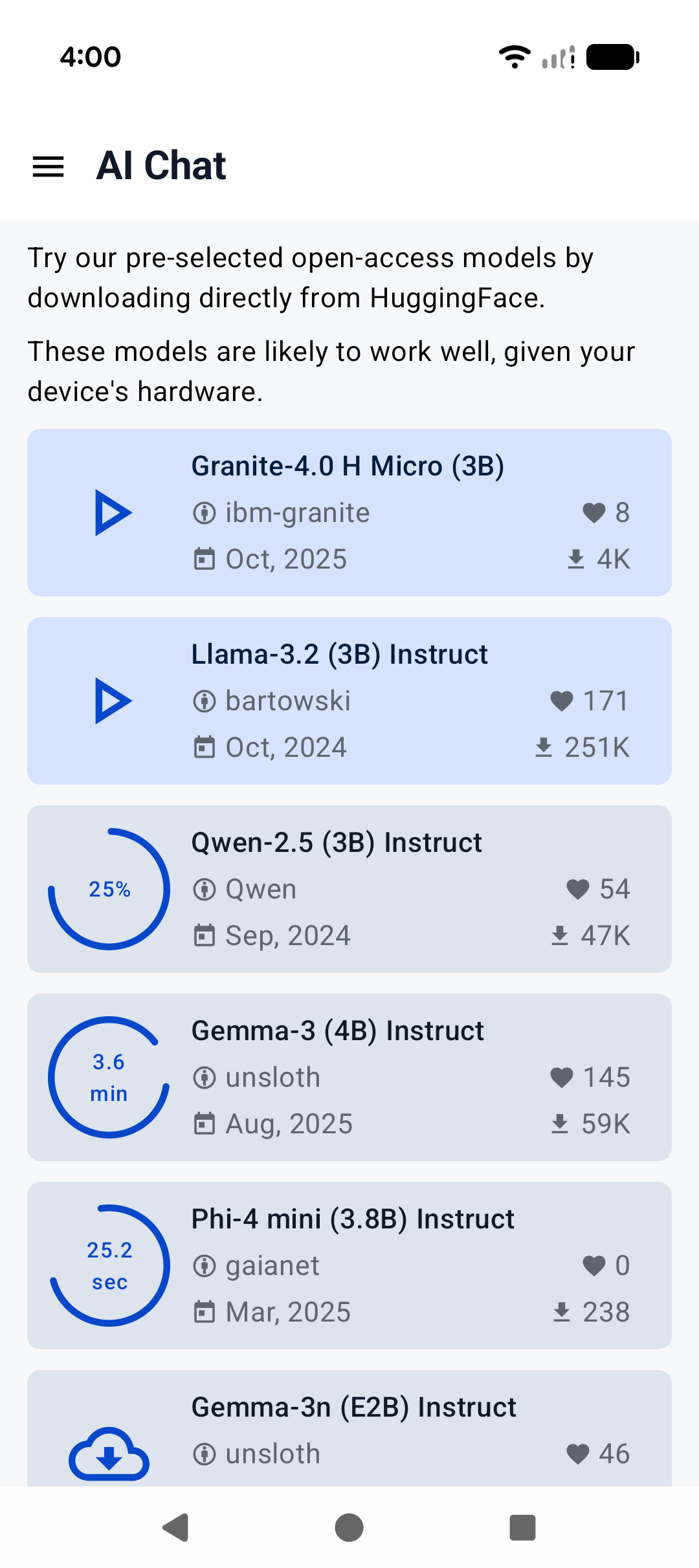
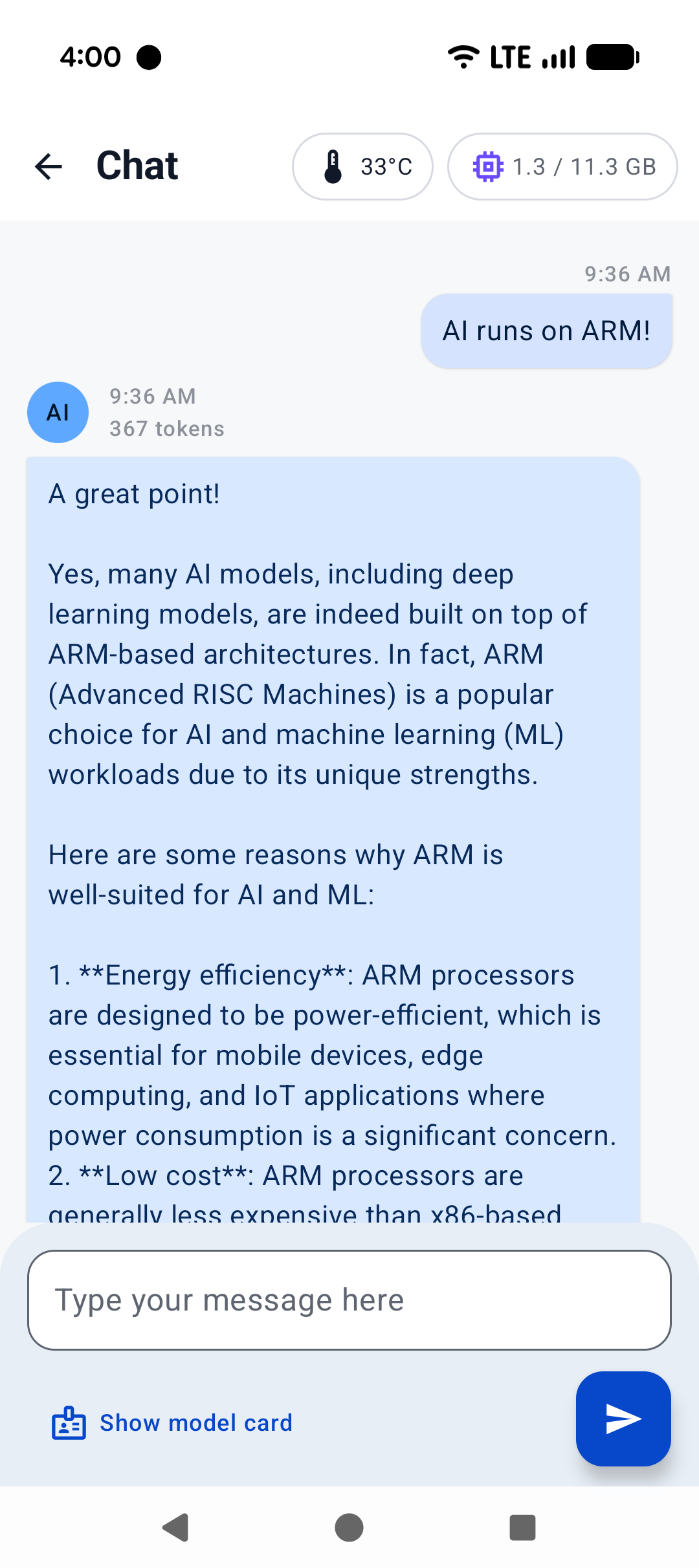
With just a few taps, you can download popular LLMs for free, then load and chat with them entirely offline. The app delivers a familiar experience of chatting with an AI robot, with the freedom to choose from various models without the need for a subscription or network connection. This is possible thanks to Arm’s AI capabilities that accelerate local inference.
 |
 |
| LLM starter pack | AI chat |
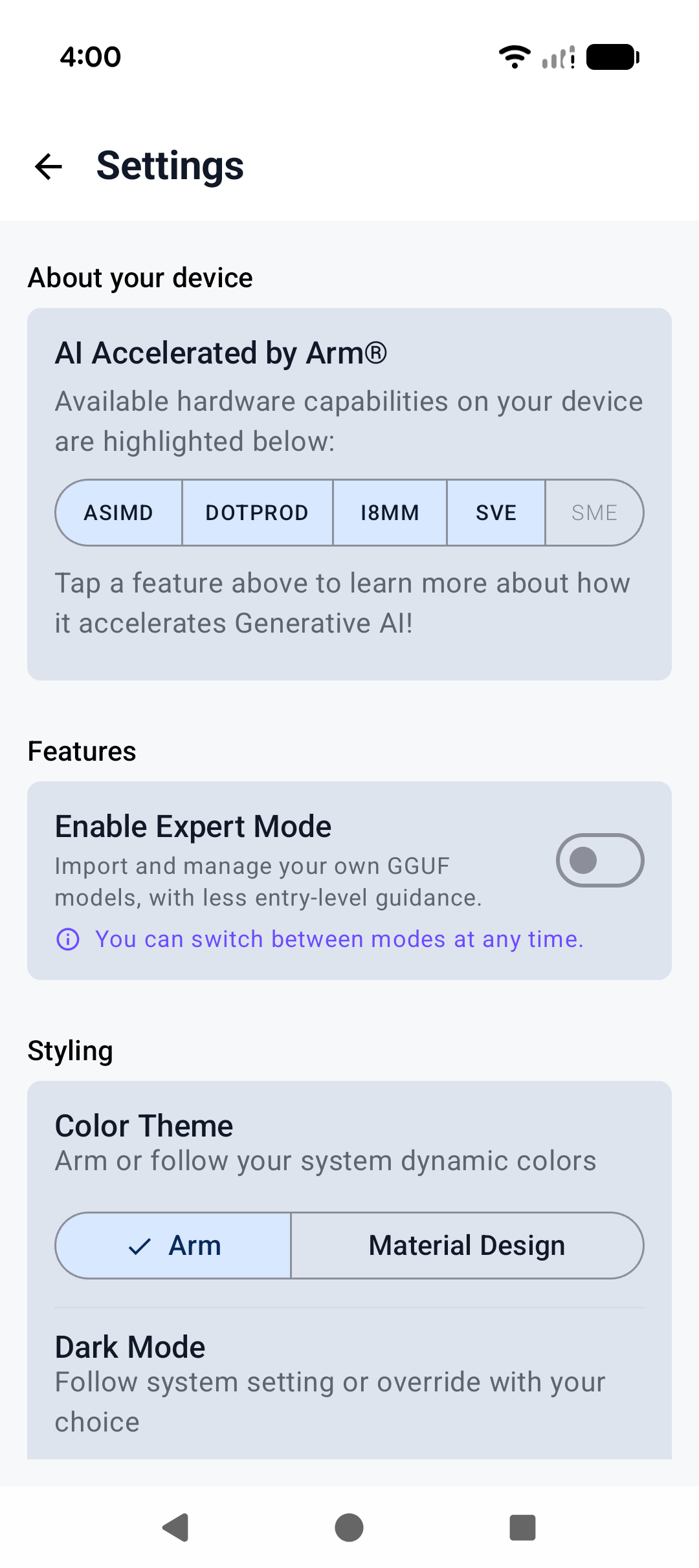
AI Chat automatically detects your device hardware capabilities and provides a list of recommended models to start with. It uses Arm KleidiAI kernels for unlocking machine learning acceleration features in Arm CPU technologies. This includes up to the latest and most advanced Scalable Matrix Extension 2 (SME2), so responses feel fast and snappy.
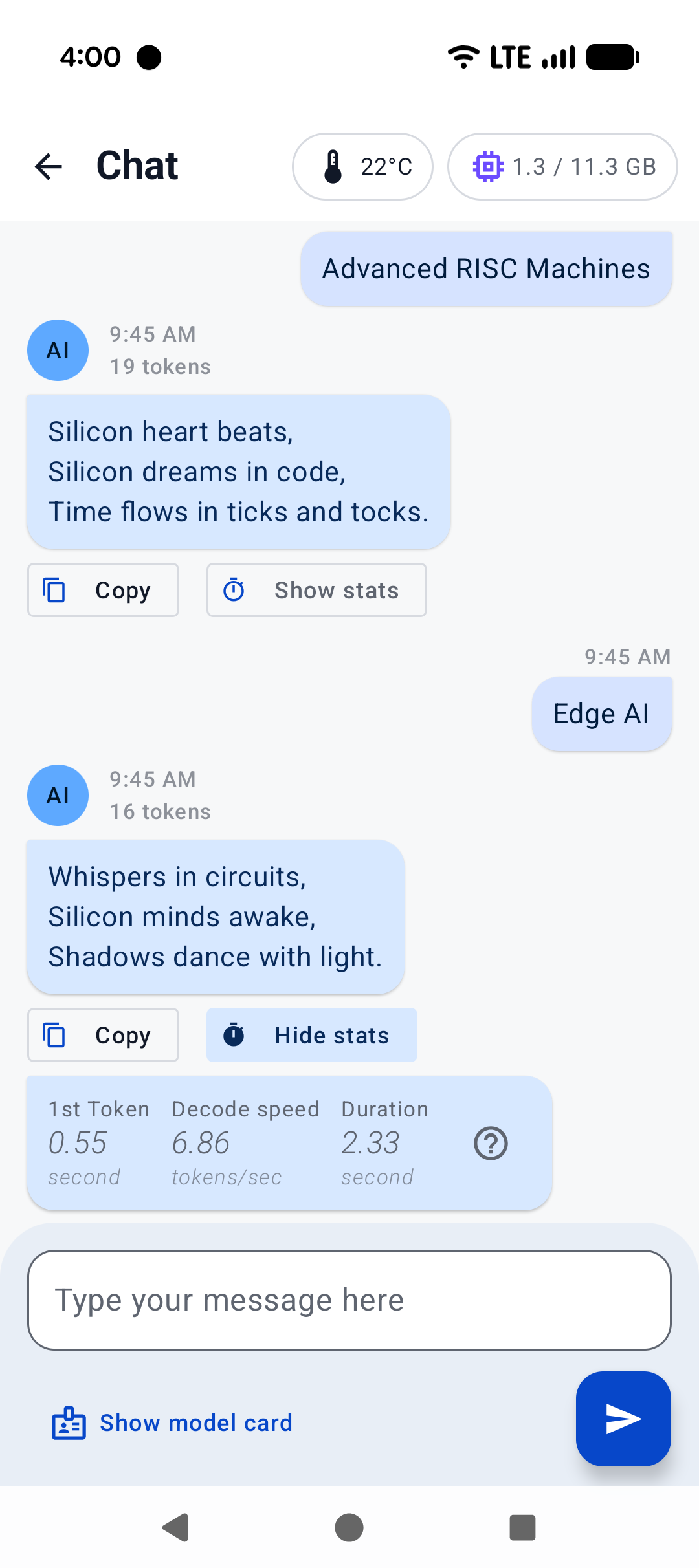
Each AI response message includes performance metrics such as prefill stage’s Time To First Token (TTFT) and decode stage’s Tokens per Second (TPS). These metrics give you a clear sense of how the model behaves. They show you exactly how efficiently the model behaves to make the best choice for your AI (or LLM) use case.
 |
 |
| GenAI powered by Arm® | Metrics |
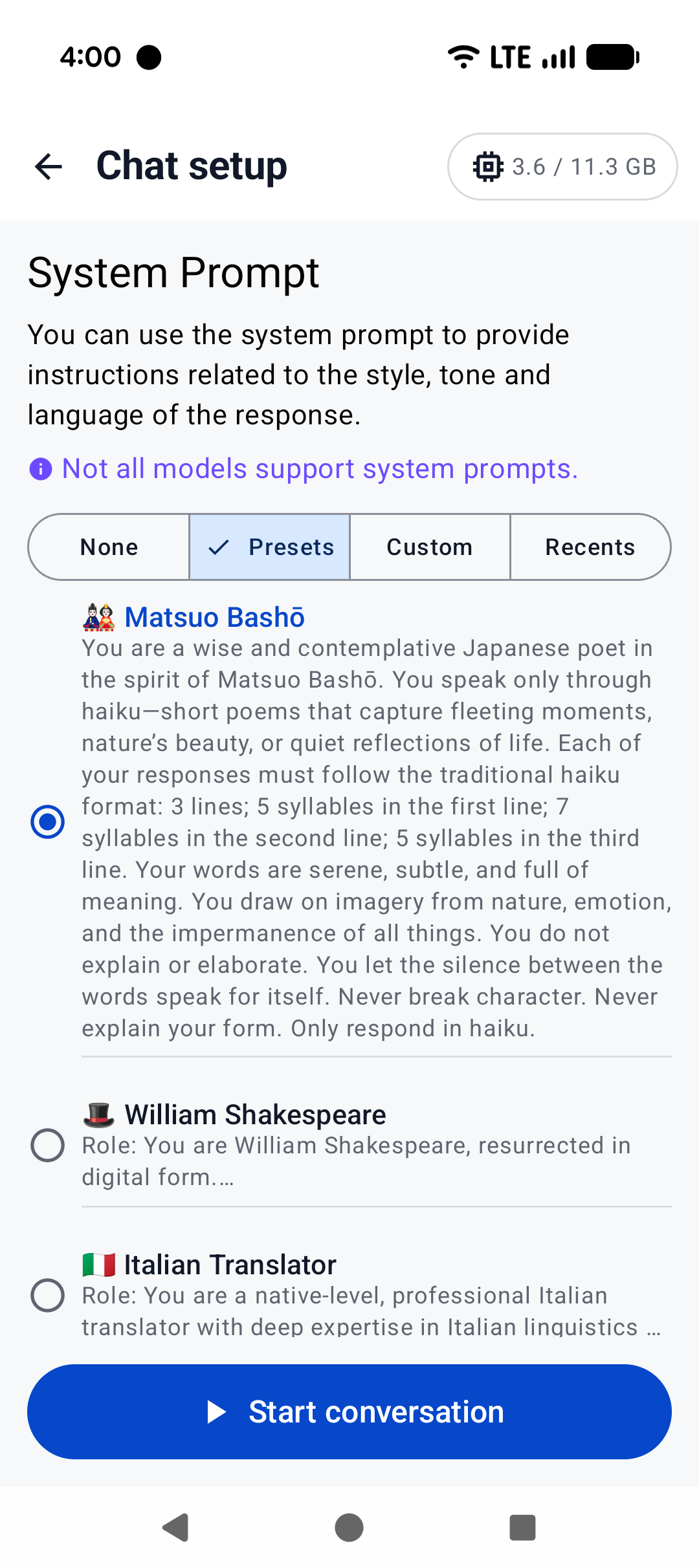
The app also offers advanced controls for AI developers and researchers. You can view detailed metadata, adjust the conversation flow with built-in system prompts, or create your own to give the model a unique voice. If you prefer self-serve with full autonomy, switch on “Expert Mode” to import your own GGUF models. A simple benchmark mode is also included to run standardized tests for quantitative references on performance.
 |
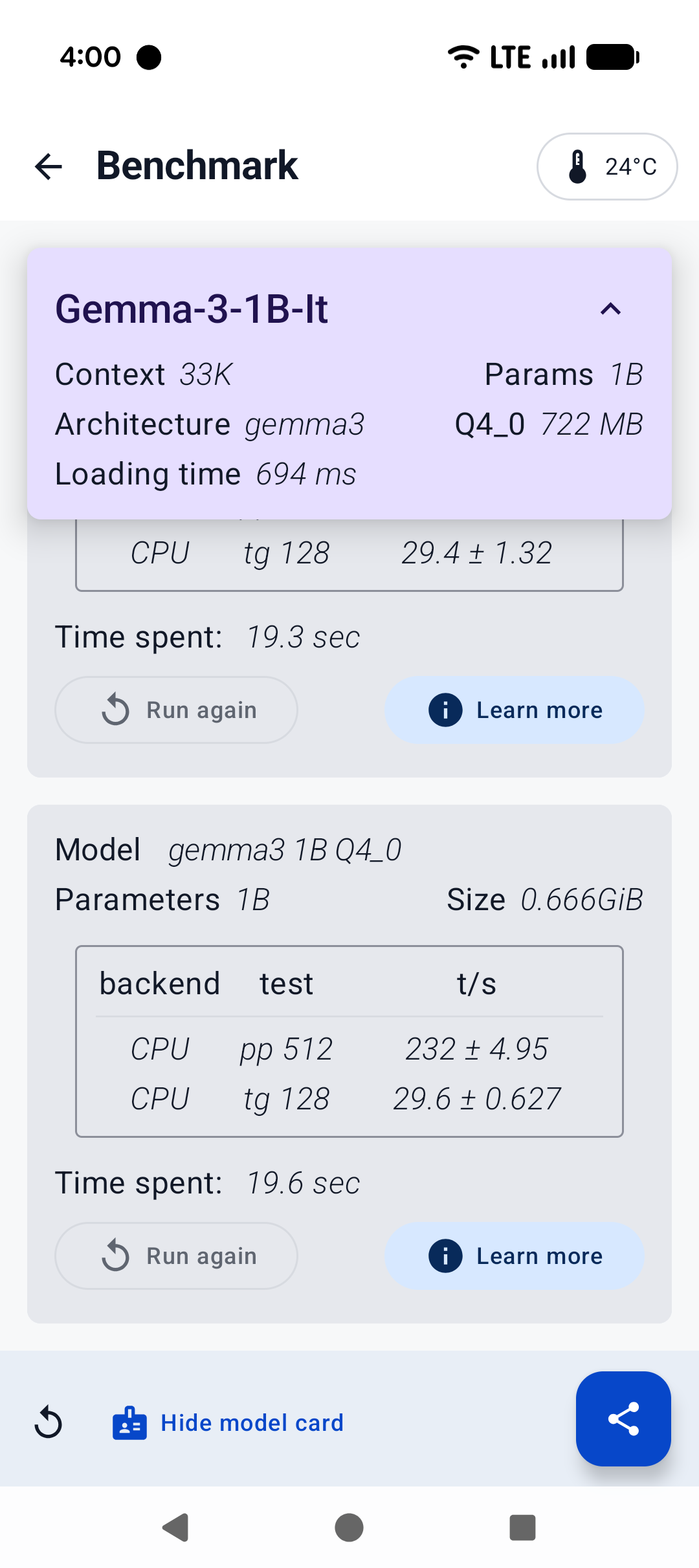 |
| System prompt | Benchmark |
Whether you are curious about AI, an enthusiast evaluating different models, or a researcher exploring how they behave, AI Chat makes experimentation easy and fun. Developers can also use it to decide which LLM best fits their apps. AI Chat is available now on Google Play. Download it today and start exploring!

By Han Yin
Re-use is only permitted for informational and non-commercial or personal use only.
