Introducing Arm Virtual Assistant on Arm Learning Paths
Helping developers get started, deepen their understanding, and progress through their learning journey.

Developers come to Arm Learning Paths with something they want to accomplish: prepare a development environment, deploy an AI model, or explore a technology for the first time.
Our goal has always been to make that work easier through practical, hands-on guidance. Install Guides help developers prepare their tools and environments. Learning Paths take them through specific tasks. More recently, we introduced Courses and Insights to support deeper learning and focused technical questions.
As our collection grows, we have more opportunities to help developers find and use these resources.
Today, we’re introducing Arm Virtual Assistant to Arm Learning Paths, providing conversational support guidance to support developers throughout their learning journey.
Discovering the right resource
Arm Virtual Assistant helps developers find resources that fit their goal. For example, a developer planning a cloud migration might ask:
“How do I migrate and optimize workloads for Arm-based cloud servers?”
Developers can explore the suggested guidance, review the prerequisites, and choose where to begin. Providing details about the application, operating system, and target platform helps the assistant give more focused guidance.
Clearer explanations and practical coding help
As developers work through a Learning Path, they can ask about the instructions they’re following. For example:
“What does this command do, and why is it needed?”
The assistant can explain the resource, clarify concepts and commands, and help with short code snippets. These explanations help developers understand the reasoning behind the instructions.
Ask follow-up questions
The developer can continue the conversation as they work through the guide:
“How would these steps change for Ubuntu?”
The assistant considers earlier exchanges, so developers can ask follow-up questions without repeating information about their setup. This helps developers explore how the guidance relates to their environment and requirements.
Explore, ask and learn with Arm Virtual Assistant
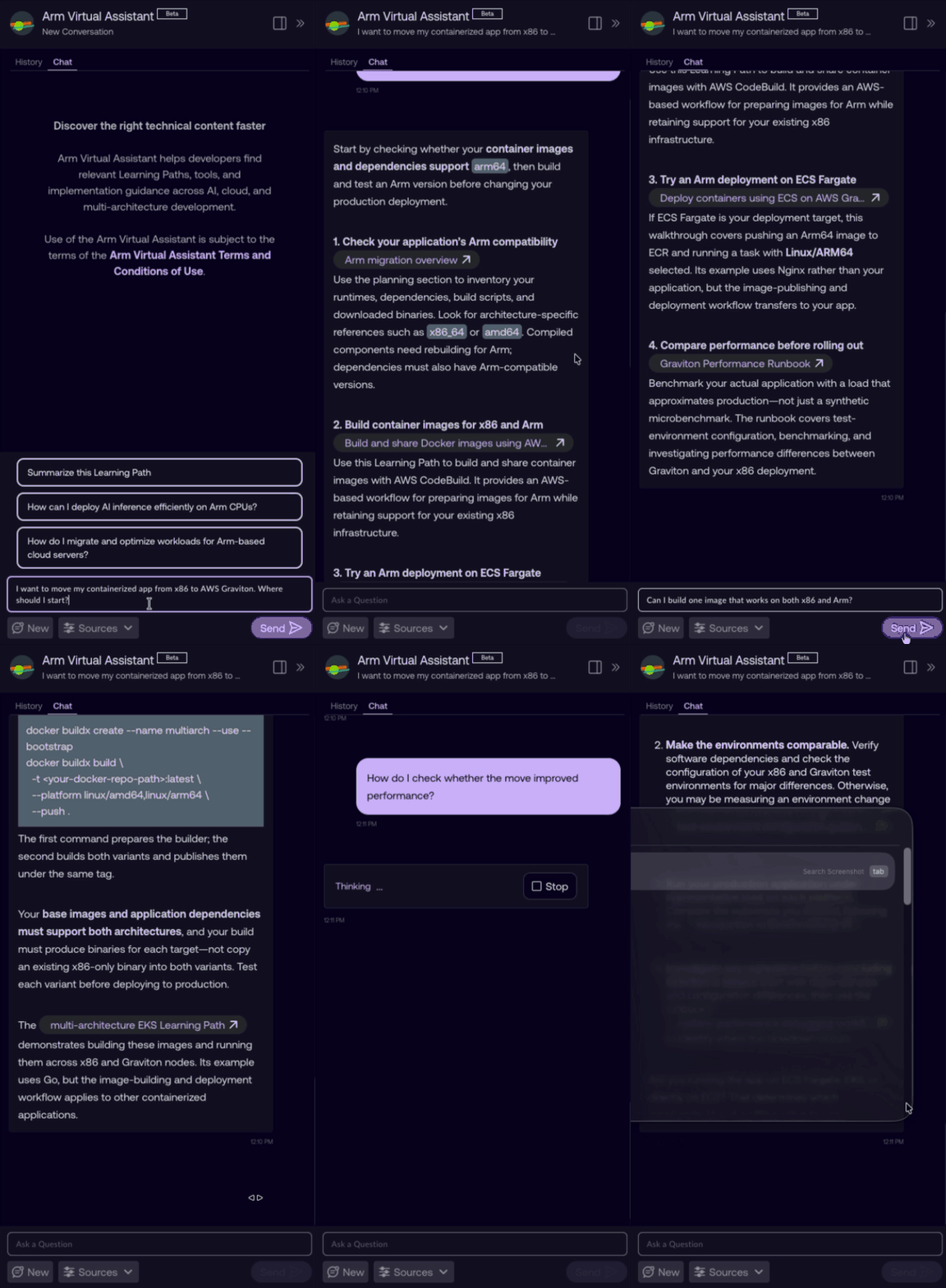
Visit Arm Learning Paths, sign in with your Arm account, and open Arm Virtual Assistant. Start with a question about your project or a guide you’re reading.
Contribute your expertise
Arm Learning Paths is open source and community-driven, with technical and editorial guidance from teams across Arm.
We welcome contributions that help developers learn and build on Arm. Each new resource also expands the knowledge developers can explore through Arm Virtual Assistant.
Developers can follow our authoring tutorial to contribute a Learning Path or Install Guide through the GitHub pull request workflow. For questions about contributing, contact learn@arm.com.

Re-use is only permitted for informational and non-commercial or personal use only.
