Keil Studio for GitHub Codespaces
Cloud‑ready embedded development that is standardized, portable, and built for teams
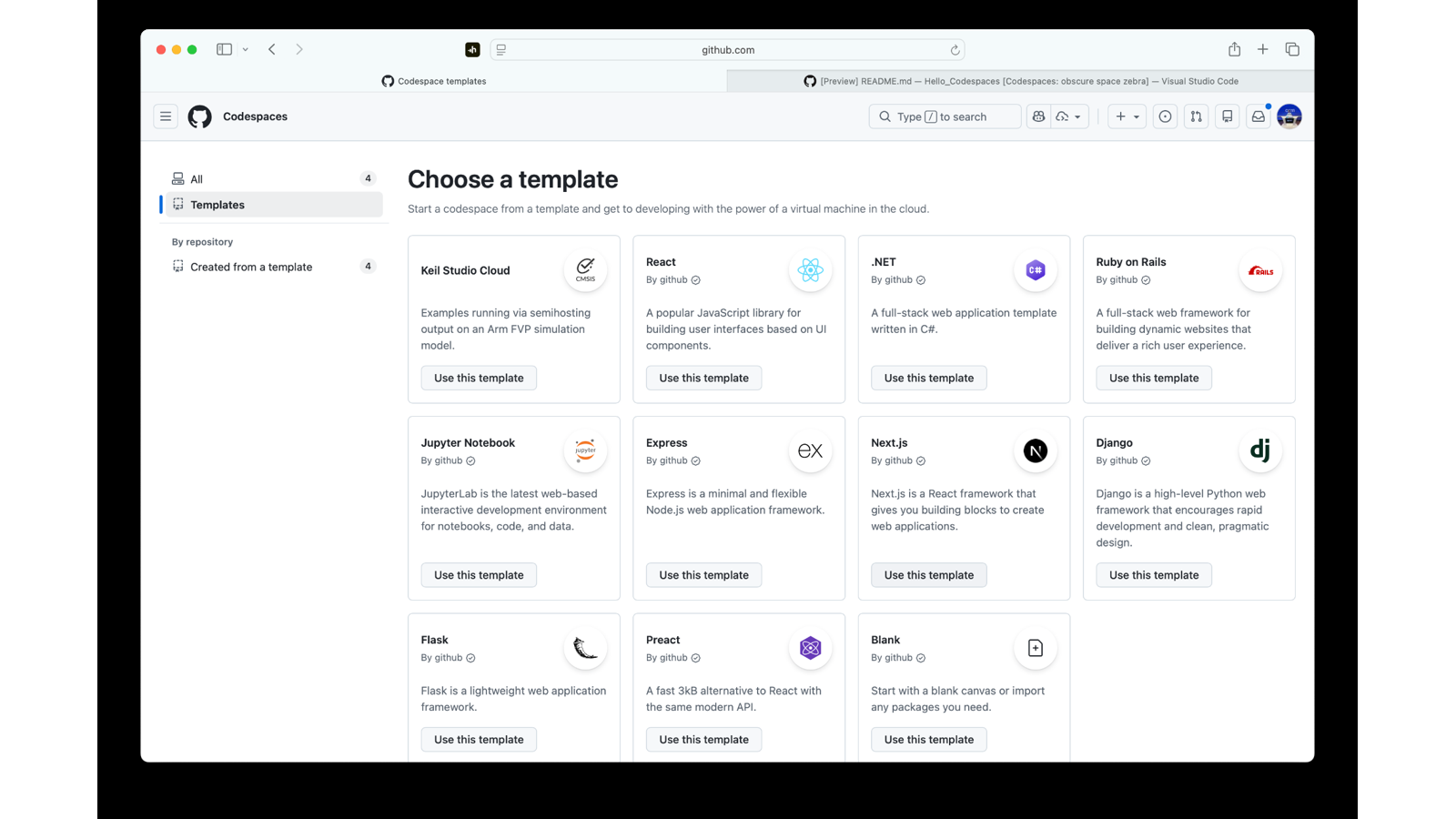
Keil Studio now runs in GitHub Codespaces. It brings Arm production-grade, CMSIS-aware workflows to a fully managed, containerized cloud workspace running in your browser. Create a clean, repeatable environment in seconds. Keep your builds, reviews, and automation close to your code.
Using GitHub or Codespaces with Arm?
We are gathering feedback to improve native Arm support across GitHub workflows. Please note that this is not limited to Keil Studio. We are interested in feedback from anyone using GitHub with Arm-based workflows.
Why teams choose Keil Studio in Codespaces
|
Onboard in minutes |
New contributors can code immediately without a local setup. Open Codespaces and go. Projects load in Visual Studio Code in the browser with the toolchains and build systems defined in a Dev Container. |
|
Standardize your toolchain |
Use a Dev Container to lock in consistent versions of compilers, CMSIS-Toolbox build tools, and CMSIS-Packs. This ensures every build is reproducible on any laptop or host OS, anywhere in the world. |
|
Automate everything |
Wire builds and tests into GitHub Actions to create continuous, traceable workflows that match how your team already collaborates in pull requests. |
|
Build anywhere |
Codespaces keeps performance predictable and the environment portable. Developers can build and test reliably from any location. |
What is included on day one
- Keil Studio in the browser via VS Code extensions.
- Arm FVP simulation models with virtual streaming interfaces (VSI).
- Configurable Dev Containers to pin toolchains and build systems.
- GitHub Actions integration for CI/CD.
- Repository-centric workflows for collaboration and reviews.
- Consistent performance and reproducible builds.
- A sample repository that demonstrates a CMSIS-Pack workflow in Codespaces (Dev Container, pack install, multi-toolchain builds) to help you jump in fast.
Desktop remains your hardware‑debug powerhouse
Keil Studio continues to be a full desktop IDE as part of Arm Keil MDK 6. It supports multi-project management, kernel/RTOS awareness, and deep debug features. These include ST-Link, CMSIS-DAP, ULINK, and J-Link. It also provides trace, memory and peripheral inspection, and live variable views. Use the desktop for on-target debugging.
Development in the cloud for collaboration, evaluation, and education
GitHub Codespaces does not change how embedded applications are developed. It provides a cloud-hosted workspace that reduces setup complexity. Codespaces is an effective choice for collaboration, evaluation, and education. Teams benefit from reproducible environments and shared workflows. Simulation and build tasks can be integrated directly into CI pipelines.
Licensing
Keil MDK v6 is a license-managed product. The user-based licensing works in GitHub Codespaces just as it does on the desktop. Three tiers are available:
- Community: Free for non-commercial use, including makers, educational purposes, and evaluation.
- Essential: Supports all Cortex-M cores for commercial use.
- Professional: All-in-one solution including simulation models, such as Arm FVPs, and functional safety components for commercial use
Note: For GitHub Codespaces, further fees may apply depending on the usage.
Transition note
Keil Studio Cloud will be deprecated in July 2026. Move to Keil Studio in GitHub Codespaces and Keil Studio desktop to modernize Arm development workflows and CI.
Get started
- Explore the example repository to see the workflow in action and clone it as a starting point.
- Install Keil Studio (extension pack) in VS Code to pair your desktop debug experience with cloud builds and collaboration.
- Get started with the Keil Studio Cloud template from Codespaces.
Help shape the future of GitHub support for Arm
We are collecting feedback from developers using GitHub with Arm across all kinds of workflows from embedded projects to cloud-based development.
Your input will directly influence how we improve tooling and support.

Re-use is only permitted for informational and non-commercial or personal use only.
