Can mobile phones generate a 3D object at game runtime in Unity? Here is what actually happens.
Imagine typing “a blue ceramic mug” into your phone, and a few seconds later your newly generated 3D mug spawns in your game
By Lin Xu

Imagine typing “a blue ceramic mug” into your phone. A few seconds later, your newly generated 3D mug spawns in your game. That is the goal of the project.
Recent advances in 3D generation mean models have become very good at producing detailed textures and geometry. However, most of those results assume a desktop GPU and an offline workflow. The key question is the challenging one: can a phone generate assets during gameplay? Inside Unity, while the GPU is already busy rendering frames?
To test this properly, I built a fully on-device pipeline with two stages.
- First, text to image generation with a few-step LCM model.
- Second, image to mesh reconstruction with TripoSR.
I also add post-processing to make the mesh usable in real time.
In this blog post, I will explain the system design, runtime cost, and what quality you can realistically expect today.
1. Related Works
First, we examine current leading models for 3D and image generation.
1.1 Text-to-image
Modern text-to-image models often use diffusion-based models. These methods rely on iterative sampling. They also require high-end GPUs or extra storage memory for acceleration. Both of which is unavailable on mobile devices.
Current leading text to image models include:
For on edge devices there is:
|
Model name |
Result Image |
Prompt |
|
Qwen Image |
|
A confident business leader stands against a floor-to-ceiling window, the sprawling cityscape behind them glowing in the early morning light. They wear a sharp tailored suit, hands in pockets, eyes locked forward with determination. The lighting is dramatic, casting a soft glow over their face while keeping the background slightly blurred
|
|
Flux dev |
|
A confident business leader stands against a floor-to-ceiling window, the sprawling cityscape behind them glowing in the early morning light. They wear a sharp tailored suit, hands in pockets, eyes locked forward with determination. The lighting is dramatic, casting a soft glow over their face while keeping the background slightly blurred |
|
Instaflow |
|
A confident business leader stands against a floor-to-ceiling window, the sprawling cityscape behind them glowing in the early morning light. They wear a sharp tailored suit, hands in pockets, eyes locked forward with determination. The lighting is dramatic, casting a soft glow over their face while keeping the background slightly blurred
|
|
LCM-LoRA: DreamShaper v7 (4 steps) |
|
A confident business leader stands against a floor-to-ceiling window, the sprawling cityscape behind them glowing in the early morning light. They wear a sharp tailored suit, hands in pockets, eyes locked forward with determination. The lighting is dramatic, casting a soft glow over their face while keeping the background slightly blurred (due to the long prompt, it does not catch our words efficiently) |




Table 1: Qualitative results for state-of-the-art image generation models
The first two models produce high-quality images. They capture all the details, even with the long prompt. However, they all need high memory bandwidth, which is not available on mobile phones. Flux 1.0 also uses a non-commercial license.
The last two models generate an image in a few seconds. However, the image quality is inconsistent. Sometimes the model ignores details on the prompt. Compared with each other, LCM-LoRA is more suitable for this project. With a shorter prompt it finds balance between speed and quality.
1.2 3D generation models
Recent 3D generation models fall into multiple families: feed-forward reconstruction, multi-view generation and fusion (higher consistency, more compute), and optimization-based text-to-3D (high compute).
The following example shows the input and the output of the Hunyuan3D 2.5
Input:
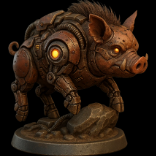
Output:
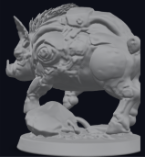
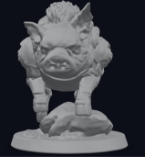
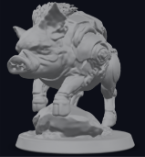
Figure 2: Output mesh views for the Hunyuan3D 2.5
Other leading models include Trellis 2 and TripoSG. They produce highly detailed and accurate predictions like the one you see in Figure 2. Although these models look great, they require high end GPU or have license issues as with Hunyuan3D 2.5.
1.3 What on-device 3D generation looks like
Before we compare the models, let us clarify an important concept: generation versus rendering. Some mobile 3D research papers like the MobileR2L (Real Time Neural Light Field on Mobile) or MobileNeRF make neural scenes render efficiently on a phone. However, it must train the representation for a specific scene.
I am focusing on the harder problem: can I generate a brand-new asset and spawn it in Unity as a mesh?
This constraint pushes me toward feed forward methods like TripoSR and OpenLRM. A feed forward pipeline is simple. Once the model is loaded, it is basically a single pass rather than minutes or hours of per scene optimization.
|
Model name |
Result |
Input |
|
|
|
|
|
|
|
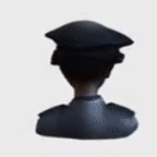
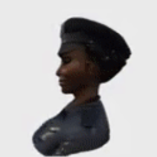
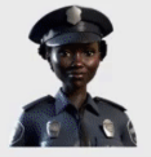



Table 2: Qualitative Results for TripoSR using high quality images.
TripoSR is a strong fit for this project. It is relatively fast for the quality you get, and it can run without CUDA. This is a problem that blocks a lot of research code from working on mobile in the first place.
2. Implementation details
Key terms:
- Tokenization: converts your text into token IDs so that the model can understand.
- BPE tokenization: common tokenization method splitting words into sub words.
- Text encoder: converts tokens into an embedding vector format that conditions the model.
- Decoder (VAE): turns the compressed latent back into a normal RGB image.
- Triplanes: a compact 3D feature map stored as three 2D planes. Used to query features at any 3D point.
- Triplane generation: takes 2D input image and encodes into three feature planes: XY, XZ, and YZ. This represents an object in a compact way.
- Triplane sampling: for any 3D point we project it onto each of the three planes. It bilinearly samples features from each plane and combines them into one feature vector for each 3D point. See Tri-Plane 3D Representation Explained for more information.
- MLP Processing: stage 3 of TripoSR. This takes the sampled feature vector and predicts an implicit value for that 3D point. This returns color and density.
- Implicit field: a function that asks, “Is there surface here?” at each 3D location.
- Marching cubes: converts the implicit field into a triangle mesh Unity can render.
2.1 Deployment and Integration
This section provides an overview of the setup. I cover what runs on each component, how everything is wired, and an explanation of the stages on the generation pipeline.
Unity runtime architecture (C# scripts):
Inference pipeline
- ONNX Runtime (Unity integration): all neural components are exported as ONNX and executed through ONNX Runtime from C#. This keeps components modular (each sub-model is swappable) and avoids engine-specific ML dependencies.
- CPU-first execution: because the mobile GPU is primarily reserved for real-time rendering at runtime, the pipeline is designed and profiled assuming CPU execution. Heavy steps are run off the main thread where possible, while Unity object creation (Texture2D/Mesh/GameObject) requires staying on the main thread.
Model components
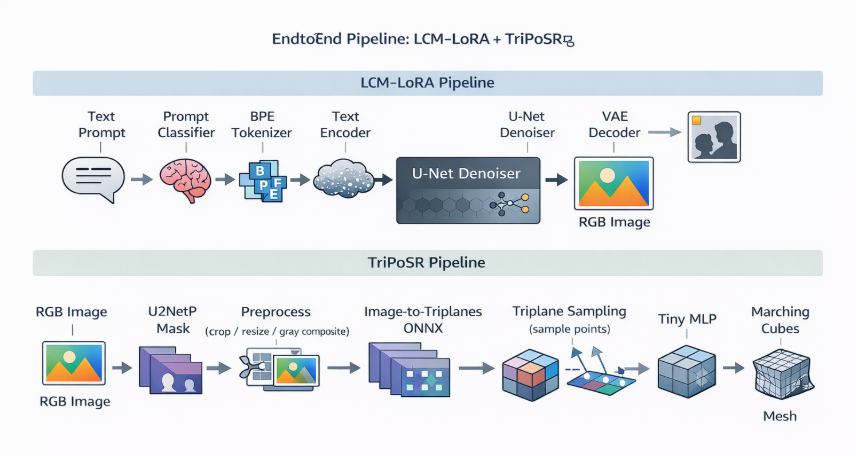
Figure 3: End-to-end model pipeline
- Text-to-image (LCM stack)
- distilbert.onnx: prompt classifier (used for prompt routing + templating)
- Tokenization: custom BPE on Android (more on that below)
- text_encoder.onnx: CLIP-style text encoder
- unet.onnx: the few step denoiser (LCM)
- decoder.onnx: VAE decoder (turns latent → RGB)
- Image-to-3D (TriPoSR stack)
- u2netp.onnx (foreground mask / segmentation)
- image_to_triplanes.onnx (Stage 1 image --> triplanes)
- mlp.onnx (Stage 3: implicit field predictor)
- Marching cubes
2.2 Prompt Routing
One problem I discovered early on was that the user prompts are often too short. For example, “House”. “Dog”. “Pizza”. That is fine for humans but for a model, it can produce messy images that are hard to reconstruct.
I ran the prompt through DistilBERT using distilbert.onnx. It classifies the prompt into one of four categories: architecture, object, people, animals. Then I applied a per category template to expand it into something more reconstruction-friendly: a single, centered subject with a clean background.
2.3 LCM-LoRA runtime
Full diffusion is too slow on mobile devices. I use Latent Consistency Models with LoRA to try and produce a good image in a handful of steps. My pipeline uses four steps.
- Tokenization
- On desktop you can use the default tokenizer ops.
- On Android, custom operations and tooling constraints can force a workaround. In my case this workaround is a custom BPE tokenizer implementation rather than relying on a problematic tokenizer ONNX graph.
- Text encoder
- The tokens go through a CLIP encoder and become the conditioning signal.
- Few-step denoising (LCM)
- The U-Net denoiser runs for a small number of steps rather than tens of steps.
- This is the main reason the approach is even feasible on mobile devices.
- VAE decoder
- The latent is decoded into an RGB image.
2.4 Image preprocessing for reconstruction
LCM generates a normal RGB image without an alpha channel. Before reconstruction, I run U²-NetP to get a foreground mask.
Afterwards, the object is found in the mask and a tight box is drawn around it. That box is turned into a square, so the object stays a consistent size on screen. It is then resized and cropped to 512×512 pixels.
During resampling, background pixels are composited towards mid-grey to suppress background edges. It also flips rows vertically to match the model expected image orientation with the Unity pixel buffer.
In summary, I am trying to feed TriPoSR a clean, centered subject. Not, for example, a tiny mug floating in a noisy scene.
2.5 TripoSR
The 3D stage reconstructs a mesh from the preprocessed single image using a staged pipeline.
Stage 1: Image → triplanes:
- The pre-processed image is encoded into a compact 3D feature representation known as triplanes. Triplanes consist of three orthogonal feature planes.
- This representation is more memory-efficient compared to full 3D grids. It still allows dense sampling of features at arbitrary 3D query points.
Stage 2: Feature sampling:
- To extract geometry, the system evaluates the representation at many 3D points.
- Project each 3D point onto the three planes.
- Bilinearly sample features from each plane.
- Fuse the sampled features into a single feature vector for that query location.
- On mobile CPU, this step can become bandwidth heavy. It requires large numbers of point samples and repeated interpolation.
Stage 3: MLP inference:
- A lightweight MLP predicts an implicit field value per query point (e.g., occupancy / density / SDF-like signal) and sometimes appearance features.
- The MLP is executed as a separate ONNX model for modularity and ease of optimization.
Stage 4: Mesh extraction with marching cubes:
Most neural 3D methods do not output a mesh. Instead, they output an implicit field, such as density, a neural rendering representation like neural radiance fields, or neural light fields. However, Unity wants triangles. Therefore, you need an extra step: marching cubes. This step converts the previous implicit representations into a triangle mesh.
- The implicit field is evaluated over a 3D grid at the chosen resolution of 160. It is then converted to triangles using marching cubes.
- Resolution is a critical parameter.
- Higher resolution improves detail but grows computational cost. The cost scales with O(N^3).
- On mobile devices, dense evaluation and marching cubes can dominate runtime, even if the networks are relatively fast.
2.6 Mesh post-processing
Post-processing is needed for quality especially when resolution is lowered for efficiency:
- Fragment filtering: remove disconnected fragments by keeping the largest connected component or dropping components below a size threshold.
- Taubin smoothing, 4 iterations: reduces high-frequency noise while minimizing shrinkage compared to standard Laplacian smoothing.
2.7 Quantization and model-level optimizations
To make the pipeline possible on mobile, I split the original TripoSR inference into smaller ONNX graphs and optimized them separately.
- Graph separation: export and run Stage 1, image_to_triplanes, and Stage 3, the MLP, as separate ONNX models. This makes it easier to profile.
- Quantization behavior differs by stage.
- The image-to-triplanes encoder is quality-sensitive. Aggressive quantization can degrade reconstruction.
- The MLP is small and typically tolerates quantization better. We apply int8 dynamic quantization there to reduce CPU cost and memory bandwidth.
3. Results and Discussion
Alright, enough theory. Did it work? How long did it take?
3.1 Timing breakdown + memory observations
Before I present the numbers to you, here is what the app looks like while running. These screenshots show the runtime setup, prompt input, progress updates, the mini-game running, and the final mesh spawn.
Setup:

Figure 4: Showcases the wizard panel congratulating user for completing task and granting a wish.

Figure 5: Shows prompt panel where user can enter their prompt.
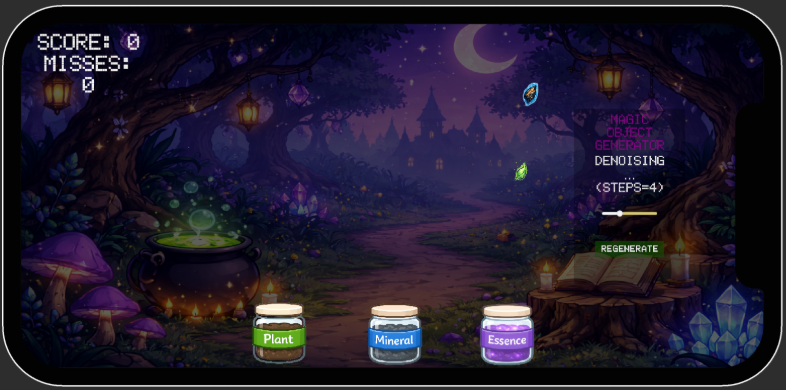
Figure 6: Game panel illustrating the mini game with the process panel
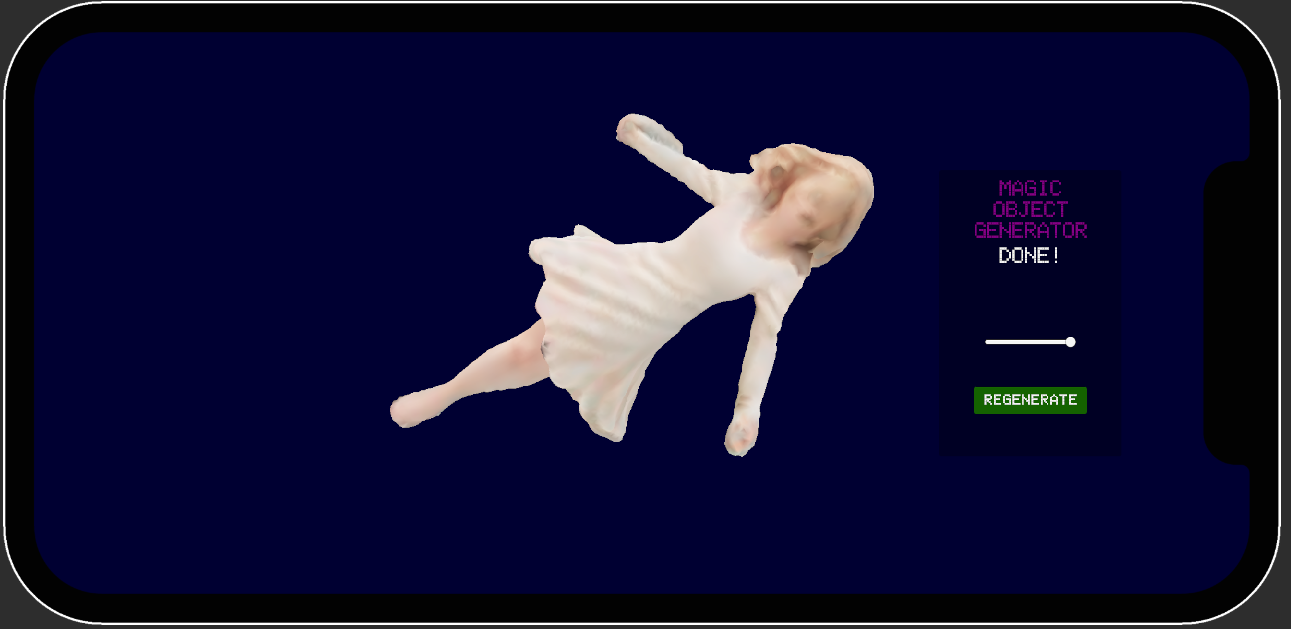
Figure 7: Generated mesh
I did not measure these timings in an empty scene. During generation, the app keeps a small mini-game running. This keeps the UI responsive and the experience feels like real gameplay. That means the CPU is shared between gameplay and machine learning inference. The numbers below reflect a realistic in-app runtime scenario.
The goal is to capture what a player would experience: tap generate, image appears, then mesh appears.
Stage-level breakdown:
- Text → Image (LCM): 8.185 s
- Image → 3D (TripoSR): 15.336 s
- End-to-end: 23.521 s
That means TripoSR is 65.2% of total time, and LCM is 34.8%.
|
LCM stage |
Time (s) |
|
Prompt routing |
1.183 |
|
Tokenize |
0.004 |
|
Encode text |
0.095 |
|
Denoise (steps=4) |
6.497 |
|
Decode.Run |
0.353 |
|
ChwToTexture |
0.013 |
|
Save PNG |
0.040 |
Table 3: Timings in seconds for LCM-LoRA
|
TripoSR stage |
Time (s) |
|
Stage 1 + 2 (Image→Triplanes) |
9.715 |
|
Stage 3 (Density volume total) |
5.301 |
|
Stage 4 (Marching Cubes) |
0.047 |
|
Taubin smoothing |
0.017 |
|
BakeVertexColors total |
0.159 |
Table 4: Timings in seconds for TripoSR pipeline
3.2 Qualitative results
Next, I will show a table of example outputs from the full pipeline
- Objects and animals: typically align best with single-object assumptions (clean silhouette, compact shape). Expect the most stable reconstructions here.
- People: often the hardest because pose, limbs, hair, and clothing introduce thin structures and ambiguities that are difficult under single-image reconstruction and grid-based extraction.
|
Generated Mesh and Images |
Category |
Prompt |
|
|
Animals |
"chicken" |
|
|
People |
"woman" |
|
|
Object |
"jar" |
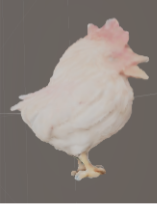




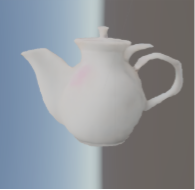
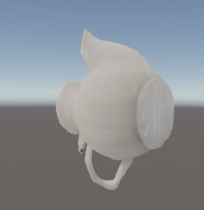
Table 5: Qualitative results of the full pipeline.
3.3 Demo
4. Conclusions and future work
Here I am honest about what worked, what did not, and what made this a lot harder than it looks on paper.
4.1 Challenges (what made this hard)
• Operator and runtime compatibility: Model graphs that run on desktop may require modifications or external preprocessing on mobile.
• Tokenizer deployment: Tokenization often needs to be moved out of ONNX graphs for Android stability.
• Asynchronous orchestration: Preventing UI stalls requires careful separation between compute tasks and render-thread operations.
4.2 What is possible today on mobile devices
Can a mobile device generate a 3D object during gameplay in Unity? Yes, it works, and it is genuinely fun when it works.
However, the current reality is that it is not instant. In my build, the end-to-end experience is still measured in tens of seconds.
In terms of quality, it often produces a clean and usable mesh. However, there are a few predictable ways it can fail:
Failures:
-
Background leakage leads to extra fragments, known as floaters.
Sometimes the background sneaks into the reconstruction and turns into random geometry. You will see disconnected fragments floating around the main mesh. -
Bumpy and noisy surfaces.
If the field resolution is low, or if you push quantization too far in the wrong place, surfaces can come out rough. -
Single-view ambiguity, where the model guesses the unseen parts.
With one image, the backside and bottom is basically a guess. The result can look great from the front but questionable from behind. -
The 2D image is not good enough.
If the text-to-image stage outputs an unclear image, for example a wooden cabin turning into a scene instead of a clean single object, the 3D stage starts from bad input. The resulting mesh quality could be poor.
Why preprocessing and post-processing matter:
- Prompt templates help the image generator produce a single centered subject with less clutter. This directly reduces background leakage and helps with single-view ambiguity.
- U²-NetP and grey compositing cuts down background-as-geometry. As a result, you get fewer floaters.
- Mesh cleanup, including fragment filtering and smoothing, trades some detail for a cleaner mesh. This mostly helps with bumpy and noise surfaces.
- Keeping image_to_triplanes.onnx unquantised protects structure and stability. This is especially important for cases where the input image quality is already low.
The key takeaway is mobile pipelines today work best when you control the input image and accept that mesh cleanup is part of the job.
4.3 Next steps
The nice part about this pipeline is that it is modular. If a faster text-to-image model is available, I can swap out LCM. If there is a better image-to-3D model, I can swap out TripoSR.
If you want to explore this further, see the Arm Learning Paths listed below:
Profiling Unity apps on Android Profile ONNX model performance

By Lin Xu
Re-use is only permitted for informational and non-commercial or personal use only.
