Mori to Nanite: Billions of triangles on mobile
Discover how Nanite scales to mobile, delivering richer geometry, improved visuals, and balanced performance in the Unreal Engine Mori demo
By Powen Yang
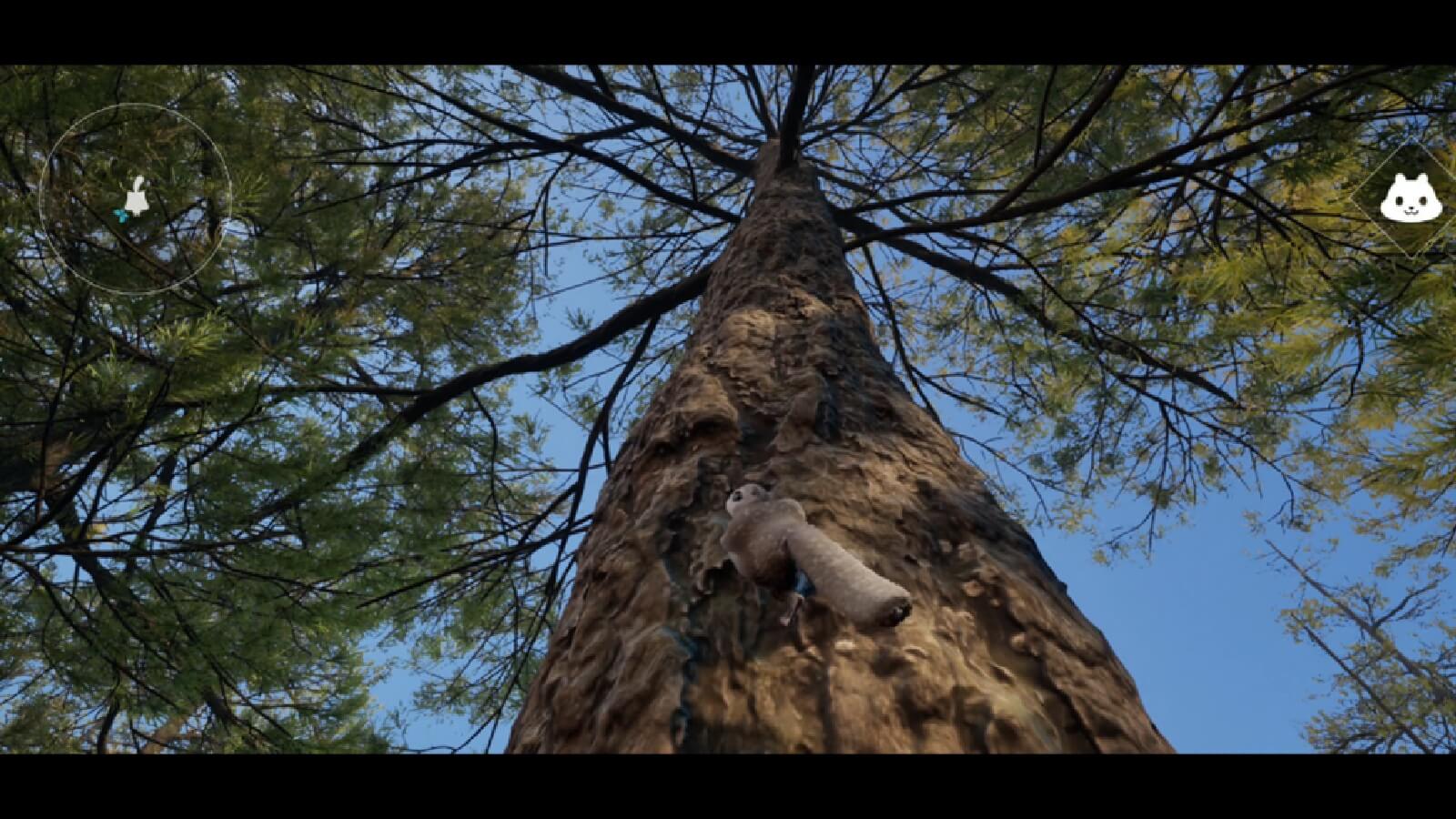
Unreal Nanite is a virtualized geometry system for creating and rendering highly detailed 3D content. Nanite uses a highly compressed mesh format and a cluster-based streaming architecture. It displays only the pixel-scale detail visible to the camera, eliminating traditional polygon budgets and the need for manual Level of Detail (LOD) creation. This enables developers to import and use film-quality assets, such as ZBrush sculpts and photogrammetry scans, while sustaining exceptional performance. Nanite removes much of the work required for mesh optimization and LOD generation. It helps artists work faster and improves visual fidelity. Nanite can handle scenes composed of billions of polygons, which makes it useful for testing next-generation mobile GPUs in real-time graphics workloads.
Mori is an in-house Unreal Engine demo project developed to showcase the capabilities of the latest Arm mobile GPUs, delivering console-quality visuals on portable devices. Whilst it already demonstrates high rendering fidelity, Mori also provides an ideal platform for evaluating Nanite integration. Evaluating Nanite in this context helps assess its ability to increase geometric detail and improve rendering efficiency on mobile hardware.
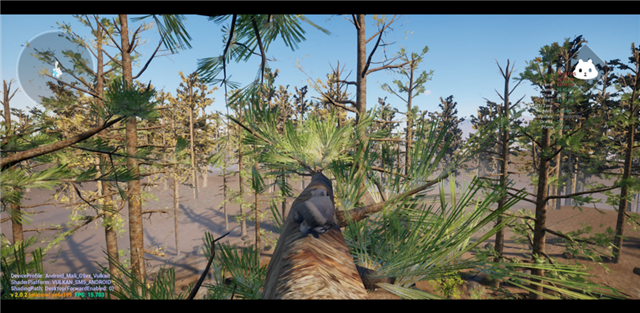
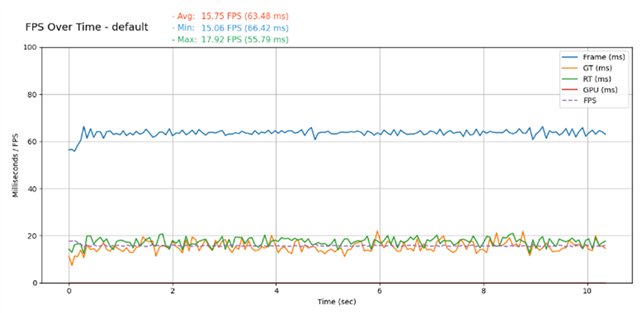
We conducted our testing on a Vivo X200 Pro device equipped with a Mali-G925 Immortalis MC12 GPU. The project runs on a modified version of Unreal Engine 5.5.2, utilizing the desktop renderer on mobile devices with Vulkan Shader Model 5 support. For more information, see the Arm Mobile, Graphics, and Gaming blogs. After we enabled Nanite support, the game ran as expected however, the initial performance was suboptimal. Without optimization, the device achieved an average frame rate of about 15 FPS, which is below an acceptable threshold for most real-time applications.
 |
 |
Profiling and identifying bottlenecks
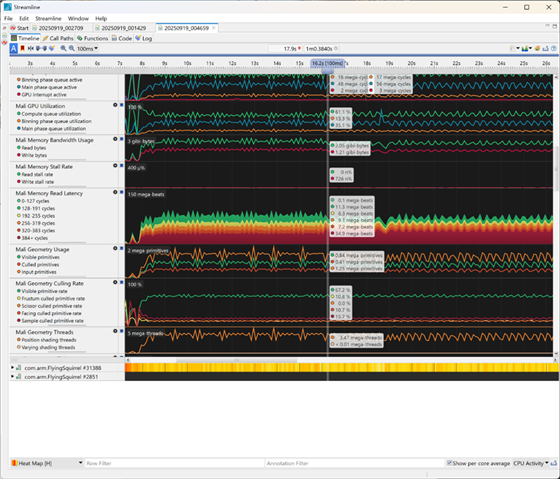
The first step is to collect performance data and identify bottlenecks. You can use several tools to achieve this, including:
- Streamline performance analyzer: Provides detailed analysis of hardware counters for investigating performance characteristics on Arm GPUs.
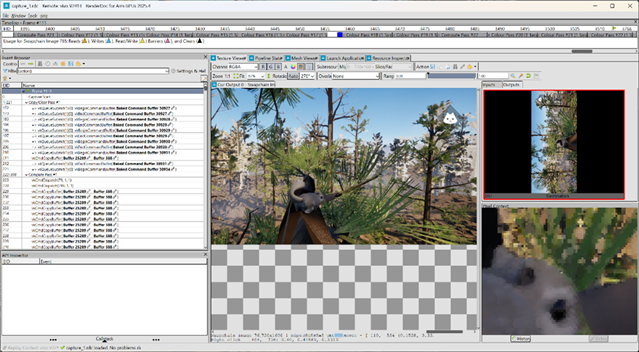
- RenderDoc for Arm GPU: A graphics debugger that provides detailed frame introspection and supports API features and extensions available on the latest Arm GPUs.
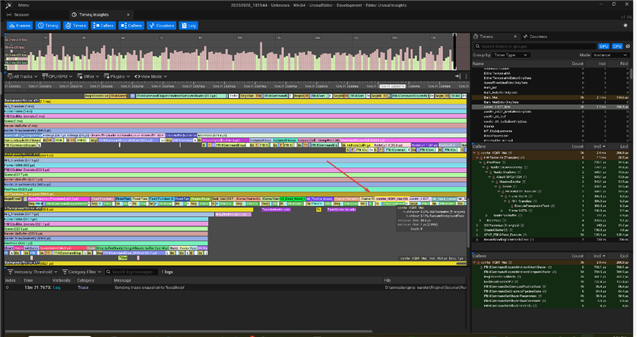
- Unreal insights: A standalone profiling and performance analysis tool for Unreal Engine that enables developers to record, collect, analyze, and visualize performance data from applications and games. Developers can view the live trace or save the trace file and transfer it to a PC for further investigation.
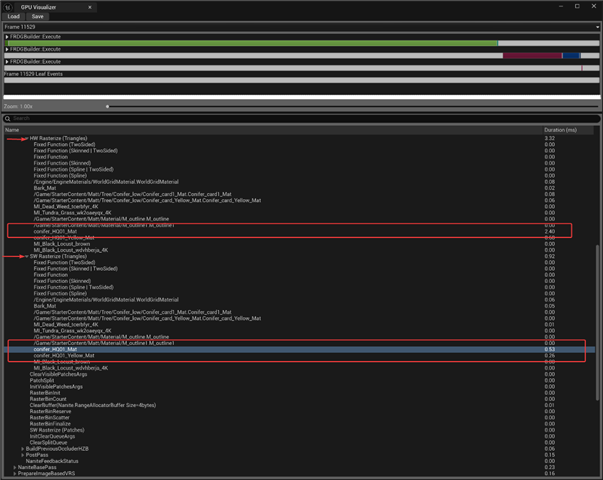
- GPU visualizer: An Unreal tool for quickly profiling GPU performance, available via the console command ProfileGPU or the shortcut Ctrl + Shift + , (comma). Although it is an editor tool, it still provides accurate profiling data for identifying performance bottlenecks.
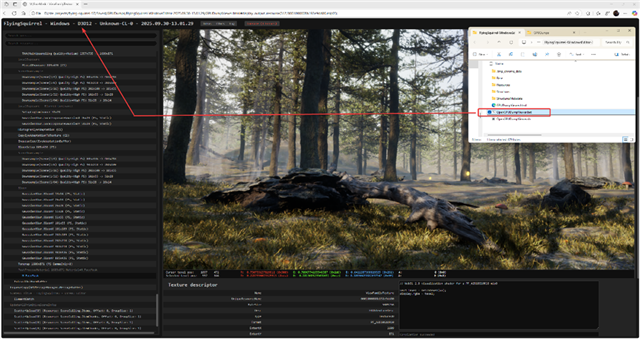
- DumpGPU: DumpGPU is a console command available on multiple platforms that enables developers to export intermediate RDG textures and buffers to disk for analysis and debugging of rendering issues.
Unreal Engine also provides a Nanite Visualization Mode to help developers identify common Nanite related issues. You can access this mode by entering the command r.Nanite.Visualize [mode] in the console or using the viewport menu options. Unreal Engine also provides an advanced visualization mode through the r.Nanite.Visualize.Advanced1 console command, providing additional information for performance analysis and debugging.
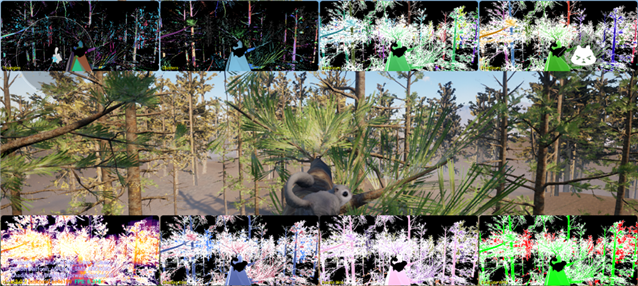
|
Tip
If the visualization mode flickers, disable anti-aliasing with the console command ShowFlag.AntiAliasing 0 which can improve stability. |

Investigating WPO and masked materials
We used Unreal Insights,the GPU Visualizer, and the r.Nanite.ShowMeshDrawEvents 1 console command to investigate performance. This command provides additional visibility into Nanites operation, particularly during the rasterization phase. We found that certain materials consumed a disproportionate amount of rendering time. Further investigation revealed that these materials used World Position Offset (WPO) and masked blending, both of which introduce significant challenges for Nanite. When WPO displacement is applied, Nanite divides meshes into smaller clusters, each with its own bounds that must be culled individually on the GPU. Excessive or unbounded WPO increases the number of clusters and, in turn, the culling overhead. Masked materials are also more expensive than opaque ones, as masked-out pixels have a similar rendering cost to fully rendered pixels. On Mali GPUs, WPO can be slow because it requires more complex shaders, leading to register spilling.
Pixel Programmable materials cannot use the hardware rasterizer on Mali, which further compounds performance issues. These limitations are specific to the Mali architecture. We have implemented a fix, but it requires Shader Model 6 (SM6). Together, these factors made WPO and masked blending the primary contributors to the performance bottlenecks observed.
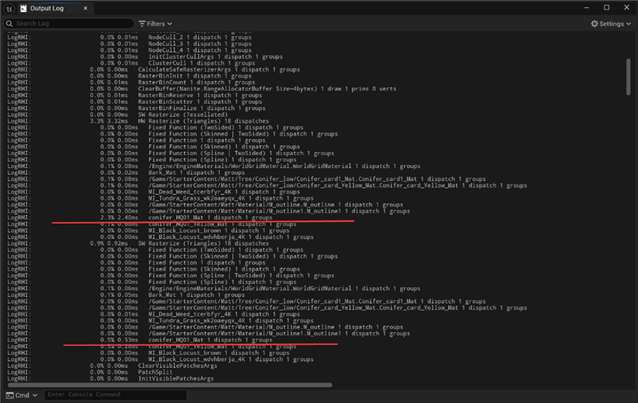
|
visualization mode: evaluate WPO |
visualization mode: pixel programmable |
| Green: with WPO Red: no WPO |
Red: Pixel Programmable Material Note: The following features are considered as pixel programmable:
|
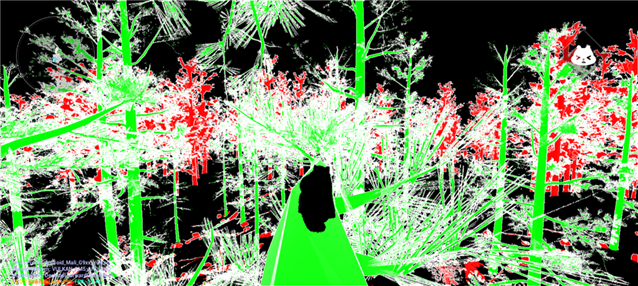
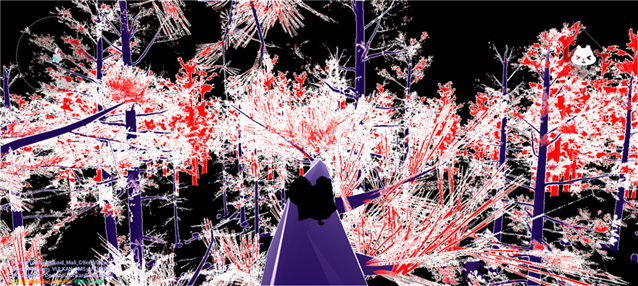
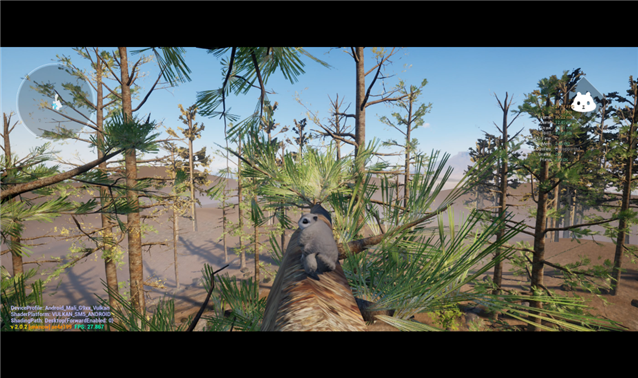
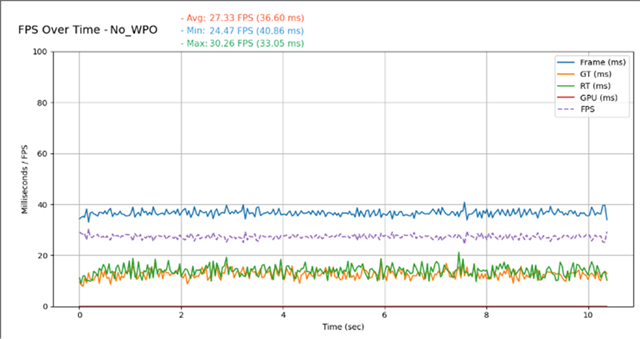
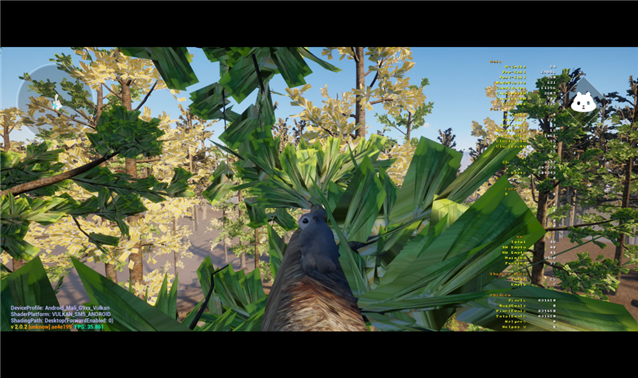
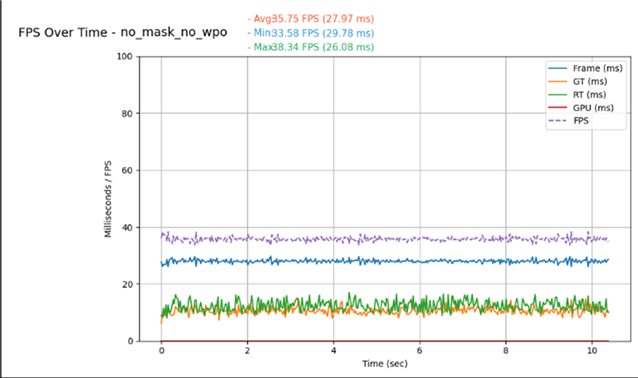
After the investigation, we performed 2 targeted tests to verify the underlying causes of the performance issue.
- Disabling WPO: When WPO was disabled, we observed no noticeable change in visual quality, while performance improved to about 25 FPS.
 |
 |
- Disabling masked materials: This adjustment had a substantial impact on visual appearance however, performance improved significantly, with frame rates increasing to almost 40 FPS.
 |
 |
The test results show that WPO and masked materials are the main causes of the observed performance degradation. We investigated this issue and developed engine patches to improve the performance of these materials. Pixel Programmable materials could not originally use the Software Rasterizer on Mali however, an engine patch resolves this limitation. We recommend avoiding reliance on these features where possible to ensure optimal performance.
Tips for WPO
When WPO cannot be fully disabled for example, for material-based rotation, it can be optimized through selective control. Developers can toggle WPO with the Evaluate World Position Offset option or set a distance threshold using World Position Offset Disable Distance. This enables WPO only when necessary to maintain visuals and reduce performance overhead.
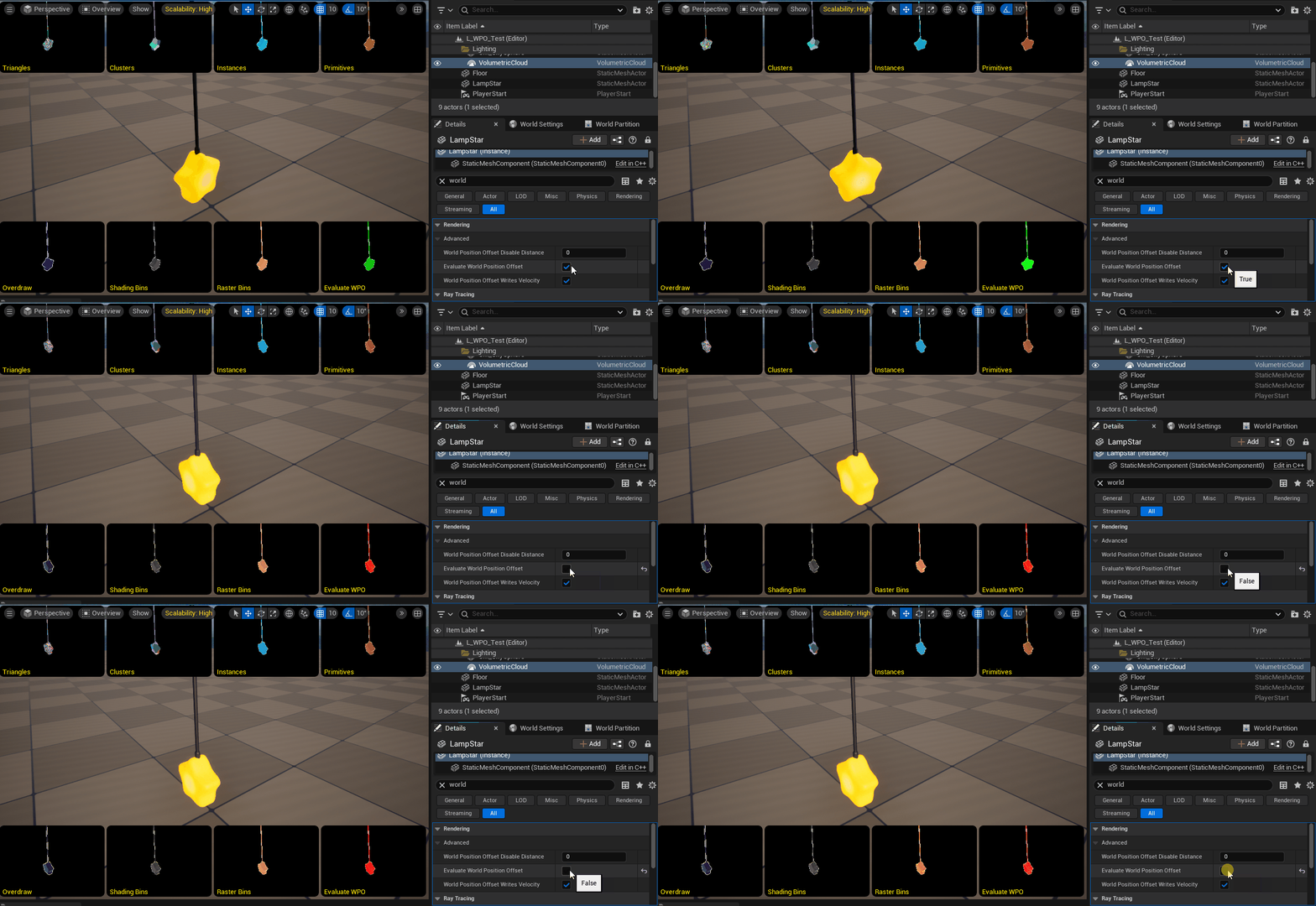
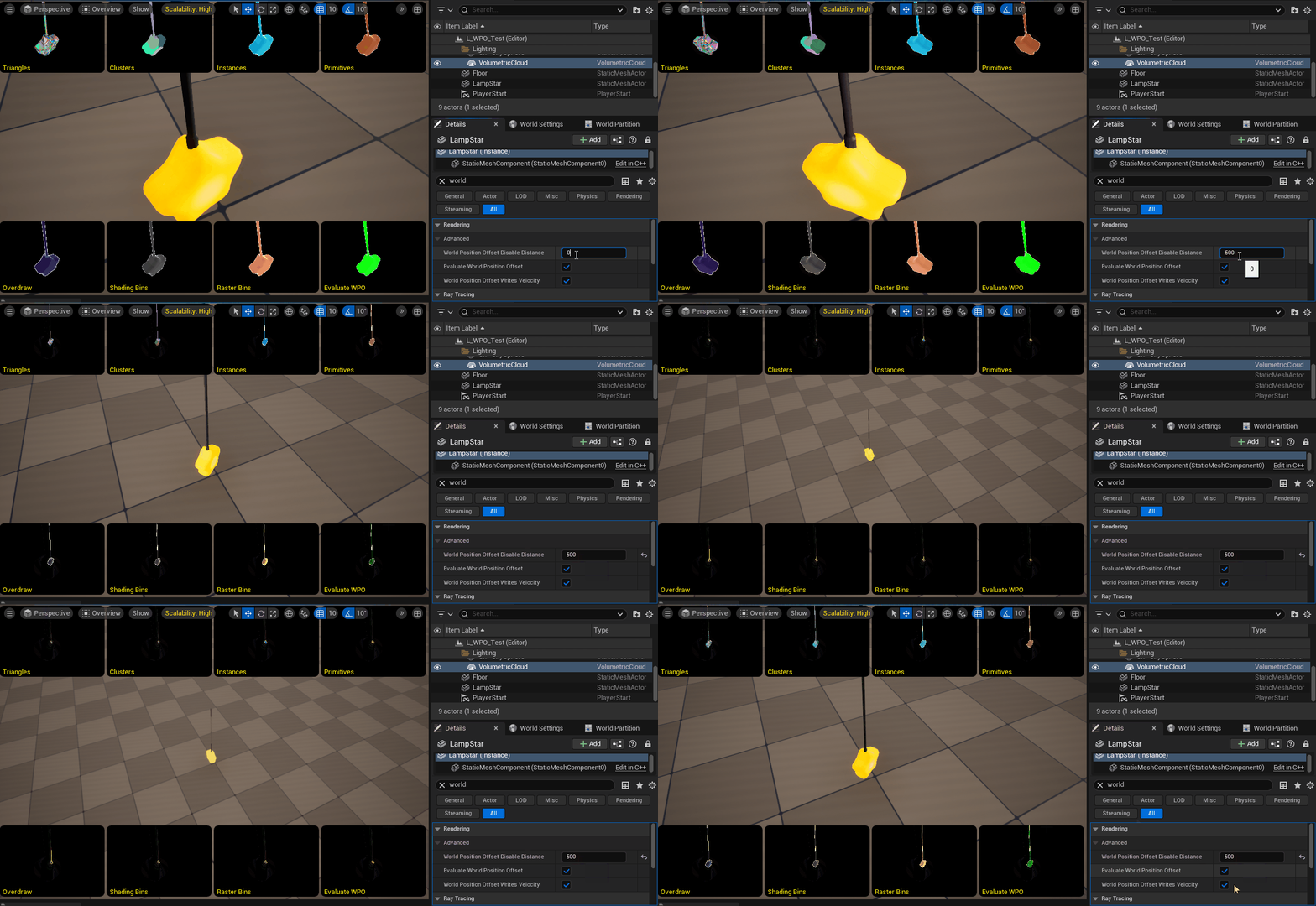
Evaluating Nanite with high-polygon assets
To further evaluate Nanite, we developed a prototype to test its capabilities under more demanding conditions. In this experiment, we replaced the original trees in the scene with 2 high-polygon models containing about 76,000 and 634,000 triangles respectively. The goal was to evaluate how well Nanite manages and renders assets with much higher geometric complexity compared to traditional scenes. By increasing the polygon count, we evaluated whether maintain performance on mobile hardware while rendering dense, film-quality geometry.
|
30k~ faces (original tree)
|
76k~ faces
|
634k~ faces
|
|
Scene: 650k |
Scene 3M |
Scene: 30M |
|
|
|
|
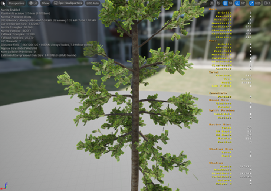
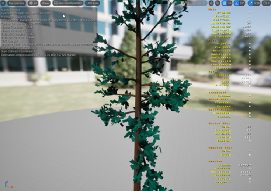
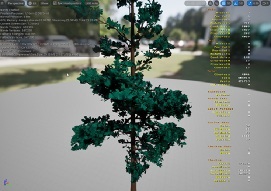
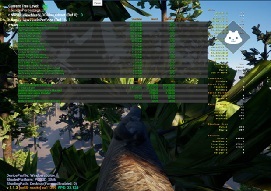
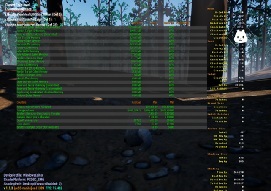
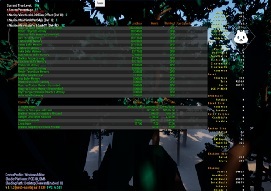
| Nanite disabled | Nanite enabled | |
| 30k~ faces |
Avg: 33.71 fps
|
Avg: 41.96 fps
|
| 76k~ faces |
Avg: 26.74 fps
|
Avg: 43.96 fps
|
| 634k~ faces |
Avg: 5.02 fps
|
Avg: 38.23 fps
|
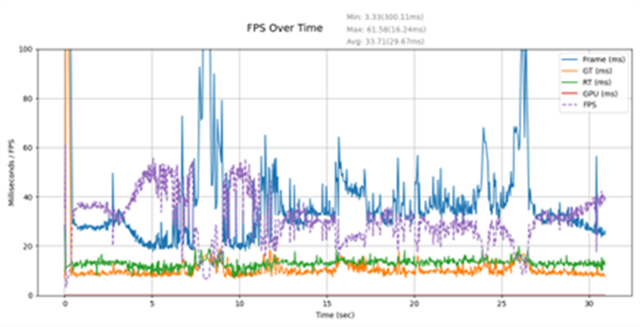
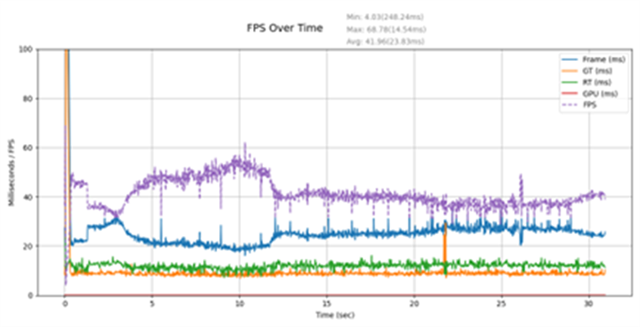
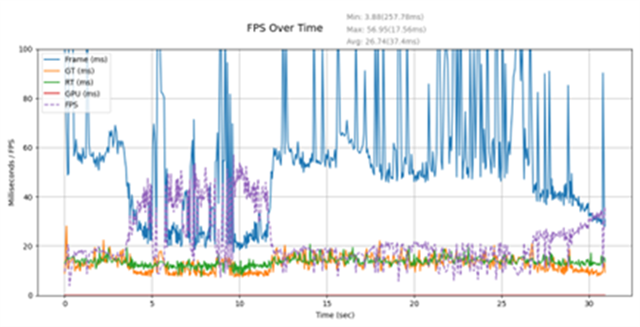
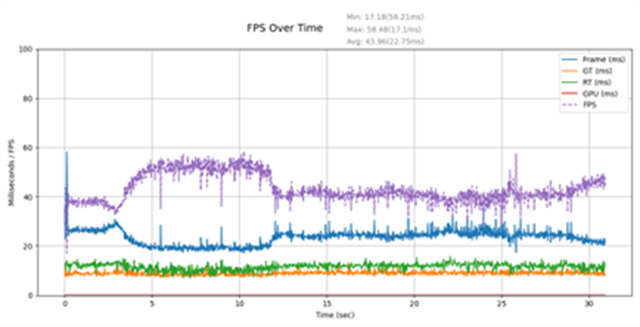
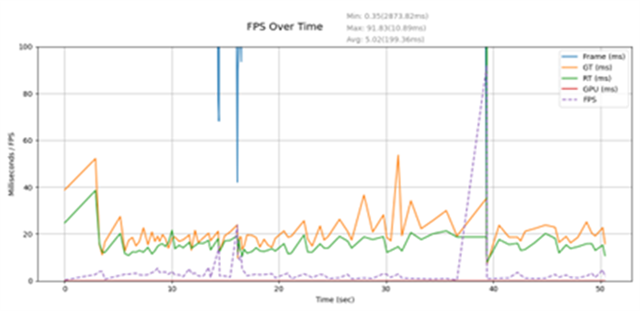
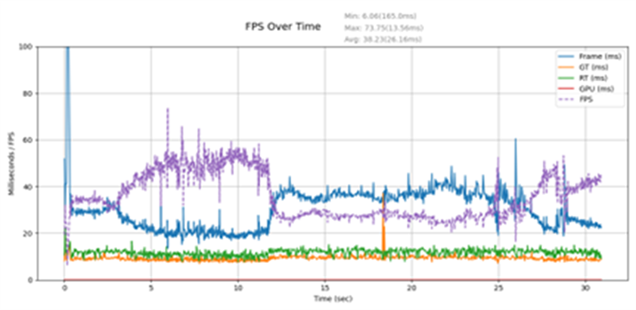
The performance results from the Nanite and non-Nanite configurations were encouraging, strongly indicating that Nanite can be effectively leveraged in this scenario. Based on these results, we moved to the next stage of the evaluation, focusing on enhancing visual quality.
Building Nanite-ready content
Based on the outcomes of the previous experiments and prototype evaluations, we defined a set of specifications for modifying and improving assets for Nanite. These specifications aim to maintain visual fidelity and stable performance on mobile hardware:
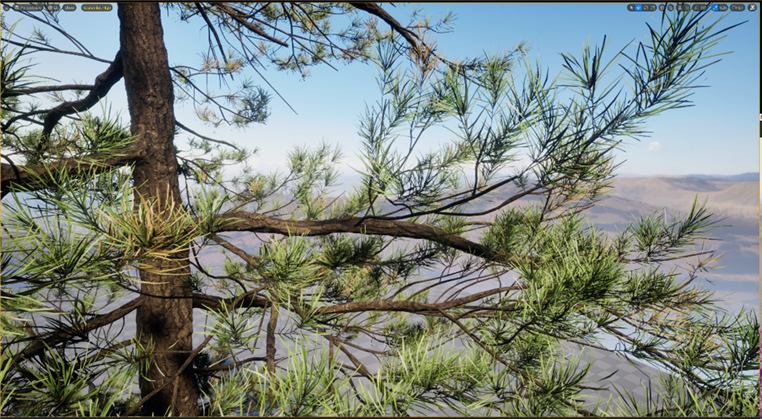
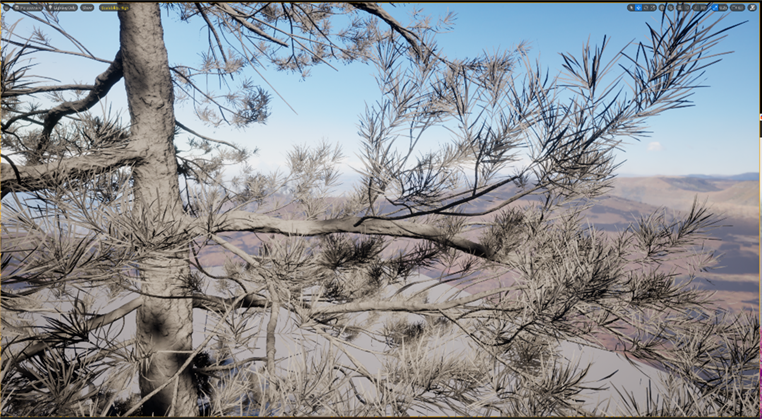
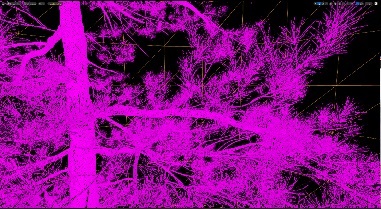
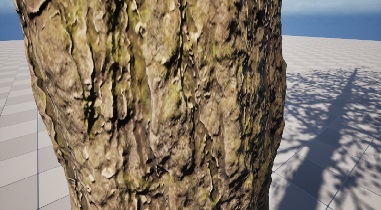
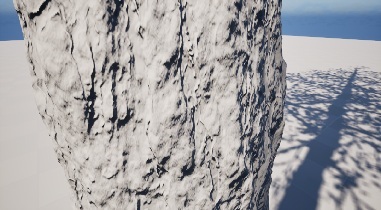
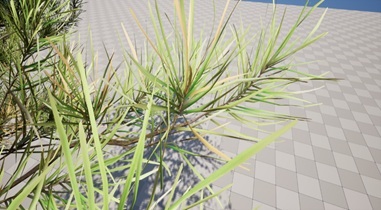
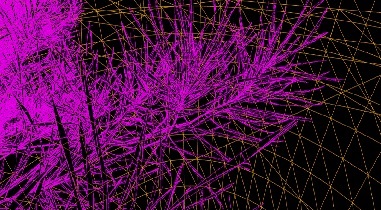
- High polygon counts: High-polygon objects capture richer details. Because Nanite can handle very high polygon counts, we focused on representing as much detail as possible in elements such as bark and leaves. We created a tree model with about 8.66 million triangles: 3.75 million for the trunk and 4.91 million for the foliage.
| Lit mode | Lighting only | Wireframe |
 |
 |
 |
 |
 |
 |
 |
 |
 |
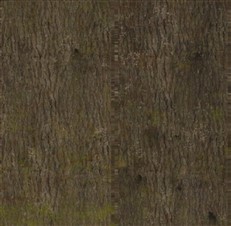
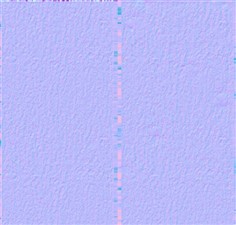
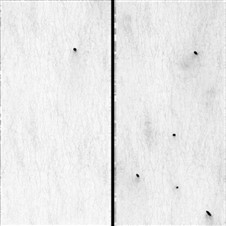
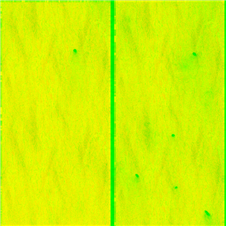
- Material restrictions: To maintain efficiency, materials should avoid WPO and masked blending, as both increase performance overhead. We applied a standard PBR material setup with base color, roughness, and metallic and occlusion maps. We also packed the occlusion, roughness, and metallic maps into the RGB channels of a single ORM texture to reduce texture usage.
| Base Color | Roughness | Normal | Occlusion | ORM |
 |
 |
 |
 |
 |
- Consistency across assets: The same guidelines apply to all scene elements, including grass, twigs, rocks, and other environmental details. This ensures consistent rendering behavior across the project.
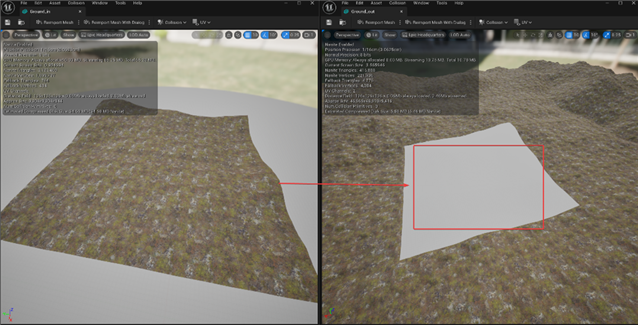
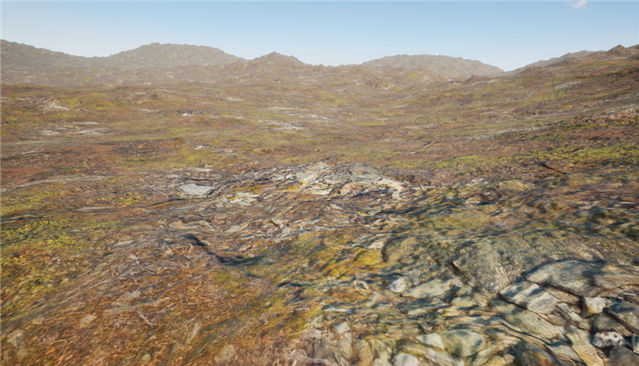
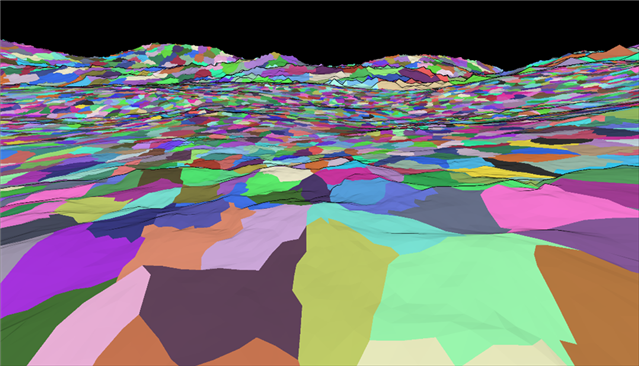
- Terrain optimization: In the original Mori game, the terrain used the landscape system however, the mesh detail remained insufficient, even after increasing the landscape resolution. To improve visual quality, we developed 2 sets of terrain meshes. The first mesh covers the playable area and contains about 4 million polygons to capture fine details. The second mesh represents distant regions beyond the playable space. It contains about 400,000 polygons because less detail is required. Both meshes share a set of 3 8K textures: base color, normal, and an ORM map. This approach balances resource efficiency and visual quality.
Optimizing the final scene
After upgrading the assets to improve visual fidelity, the frame rate fell below the 30 FPS performance goal. To address this gap, we optimized the system to improve performance while maintaining visual quality. We explored optimization methods, including:
- Nanite.MaxPixelsPerEdge: MaxPixelsPerEdge controls the maximum screen-space edge length for Nanite meshes. This setting directly affects triangle density, with lower values producing more triangles for higher visual detail and higher values simplifying the mesh to improve performance. This setting helps balance visual fidelity against rendering efficiency. The results show that increasing the Max Pixels Per Edge value improves performance by reducing the total number of rendered triangles. However, values above a certain threshold can introduce visible artifacts. By tuning this parameter, we balanced visual quality and performance.
|
r.Nanite.MaxPixelsPerEdge: 1
|
r.Nanite.MaxPixelsPerEdge: 50
|
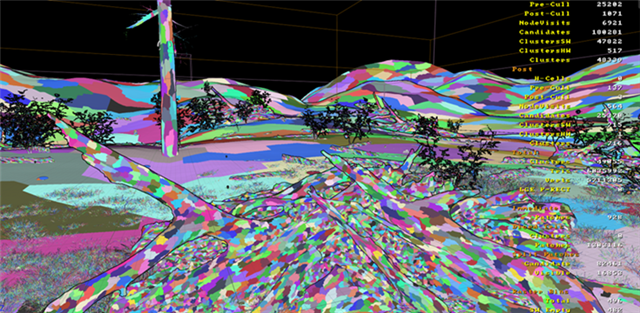
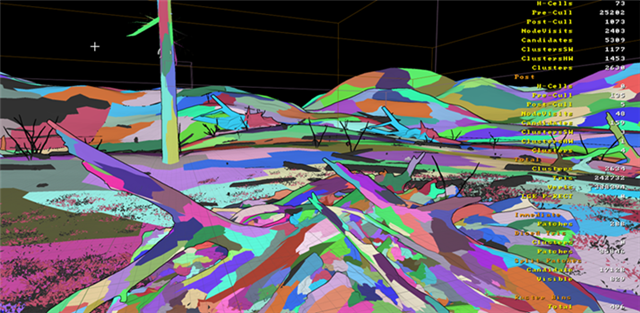
| r.Nanite.MaxPixelsPerEdge: 1 | r.Nanite.MaxPixelsPerEdge: 3 | r.Nanite.MaxPixelsPerEdge: 10 |
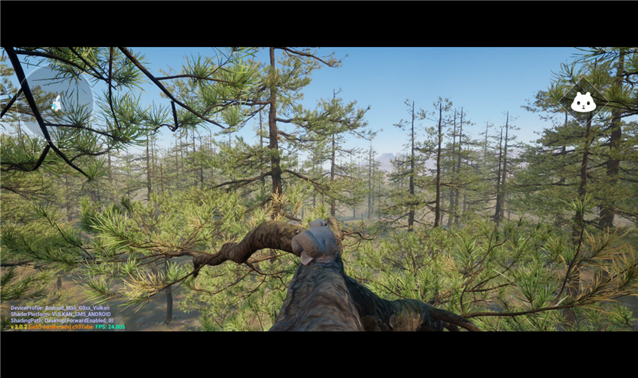 |
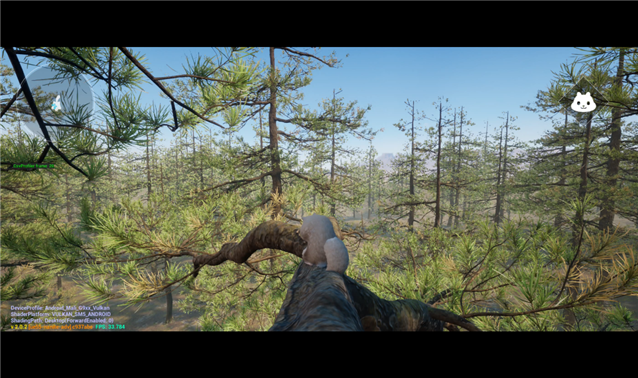 |
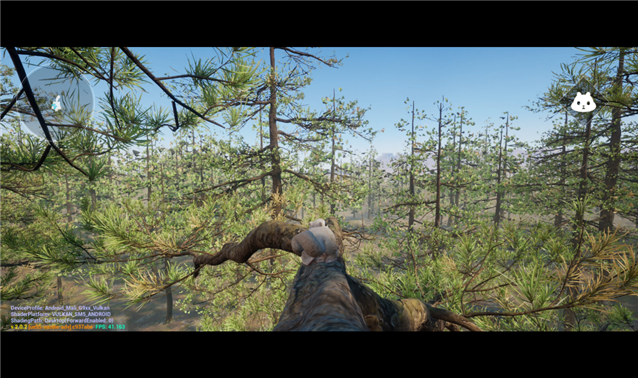 |
|
Avg: 21.87 fps
|
Avg: 33.74 fps
|
Avg: 41.06 fps
|
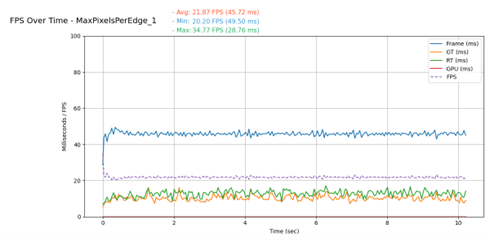
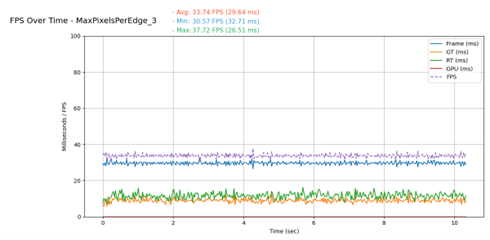
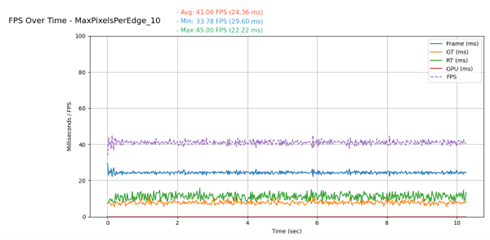
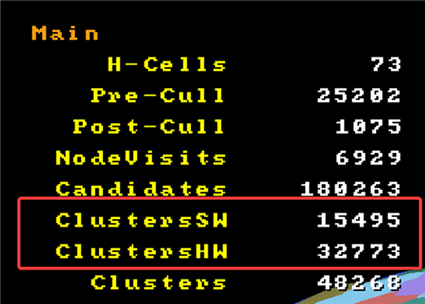
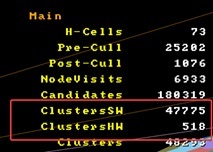
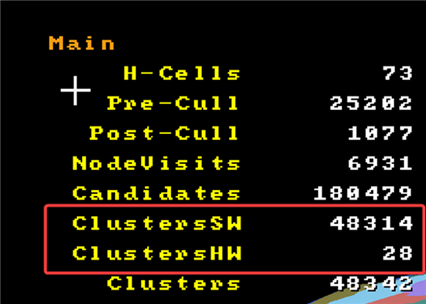
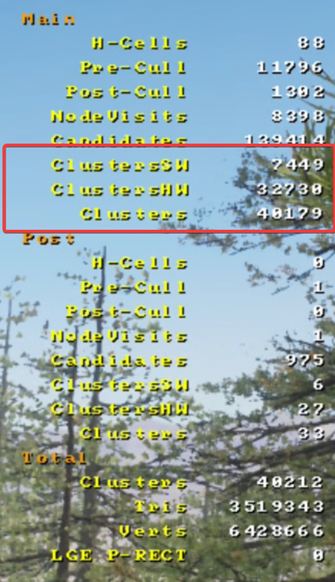
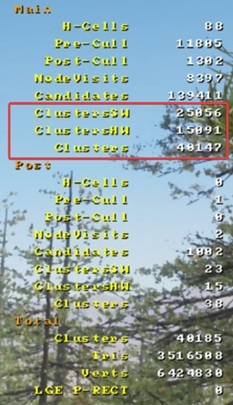
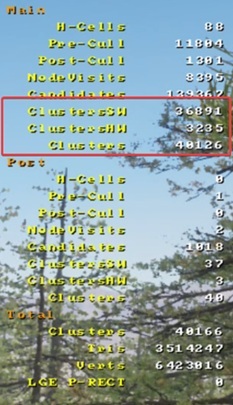
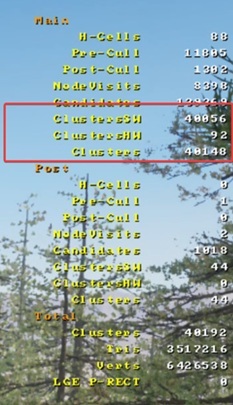
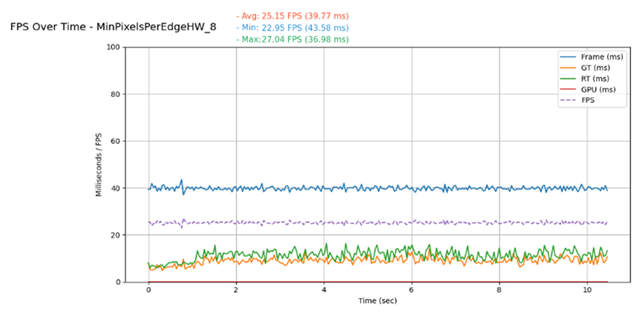
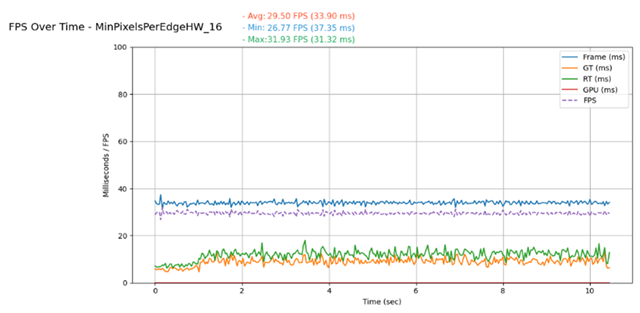
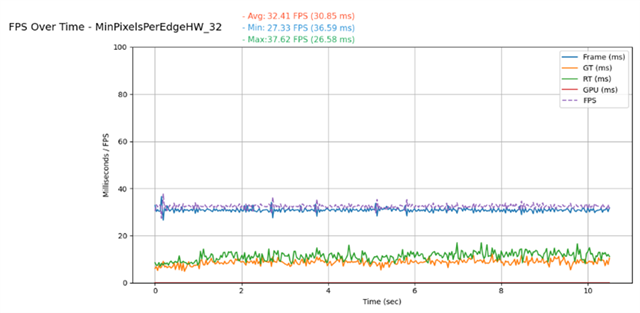
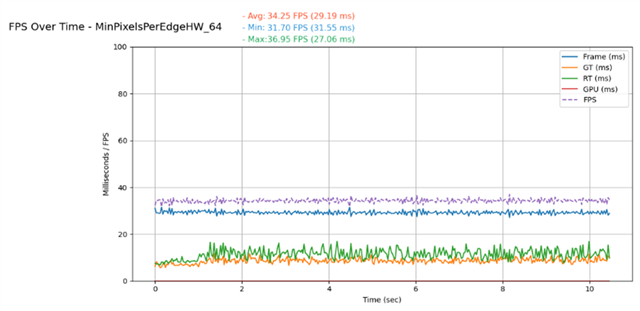
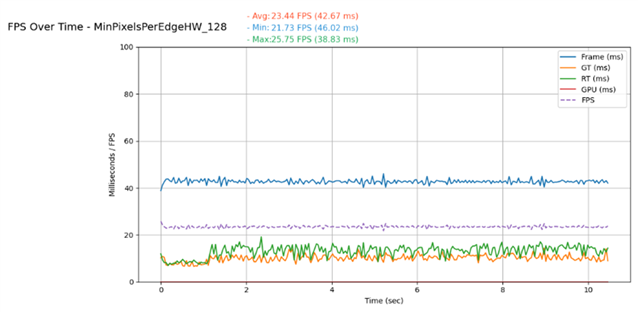
- Nanite.MinPixelsPerEdgeHW: MinPixelsPerEdgeHW determines the triangle edge length, in pixels, at which Nanite switches from software to hardware rasterization. Triangles above this threshold use the GPU hardware rasterizer for efficiency, while smaller, pixel-scale triangles use the Nanite software rasterizer. This value controls the balance between hardware and software rasterization, allowing developers to adjust it to balance performance and visual quality. The results show that setting r.Nanite.MinPixelsPerEdgeHW=64 improves performance by about 1 ms. However, further adjustments do not consistently improve performance. The effect of this parameter depends on the underlying hardware, as the balance between software and hardware rasterization can vary between devices. Developers should test different MinPixelsPerEdgeHW values to identify the optimal configuration for their specific target platforms.
| MinPixelsPerEdgeHW: 8 | MinPixelsPerEdgeHW: 32 | MinPixelsPerEdgeHW: 128 |
 |
 |
 |
| r.Nanite.MinPixelsPerEdgeHW:8 | r.Nanite.MinPixelsPerEdgeHW:16 | r.Nanite.MinPixelsPerEdgeHW:32 | r.Nanite.MinPixelsPerEdgeHW:64 |
 |
 |
 |
 |
Avg: 25.15fps
Avg: 29.50 fps
Avg: 32.41 fps
Avg: 34.25 fps
Avg: 23.44 fps
- Packed Level Actor (PLA): Unreal Engine’s Packed Level Actor combines multiple static meshes into a single optimized actor, converting them into Instanced Static Meshes (ISMs) or Hierarchical Instanced Static Meshes (HISMs). This process reduces the actor count and enhances GPU efficiency, making it particularly useful for large-scale environments and set dressing. In our scene, all trees were static meshes, we grouped them into a PLA using instancing. This improved rendering efficiency and reduced rendering time by about 1 to 2 ms.
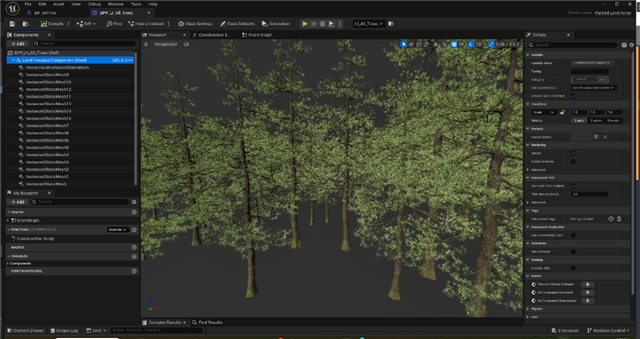
| without PLA | with PLA |
|
Avg: 30.98 fps
|
Avg: 32.66 fps
|
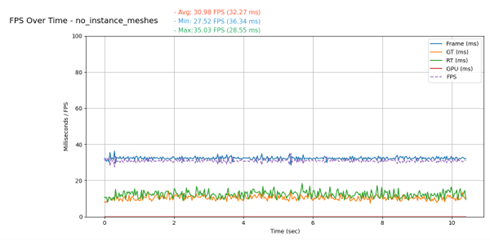
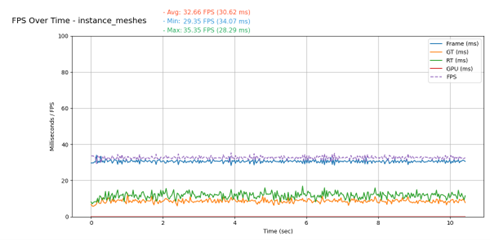
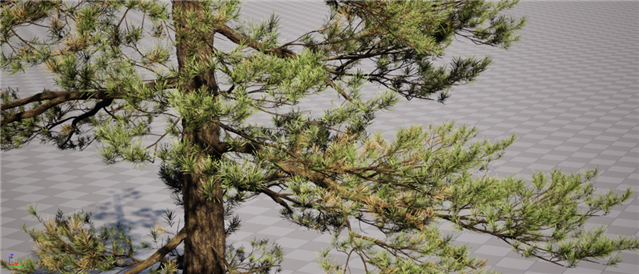
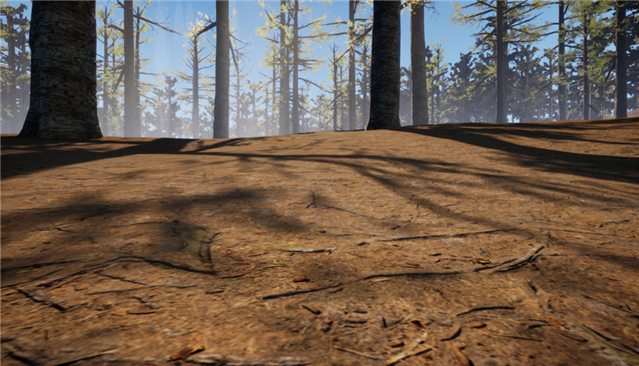
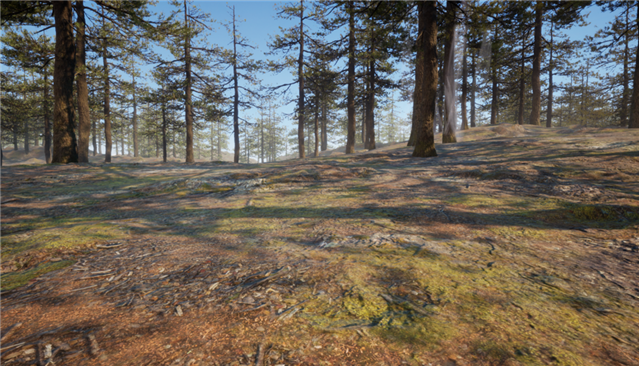
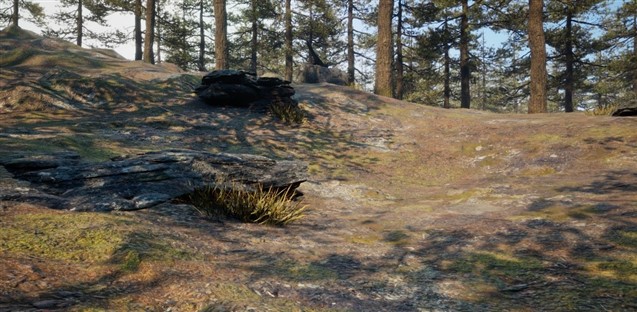
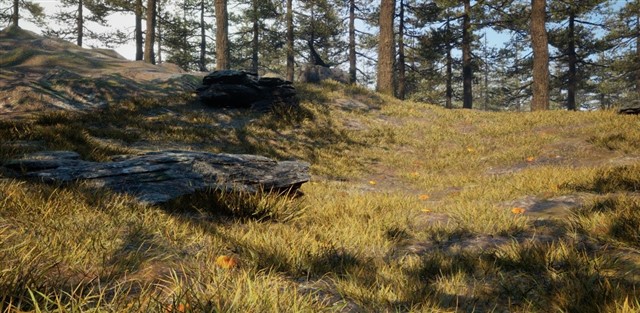
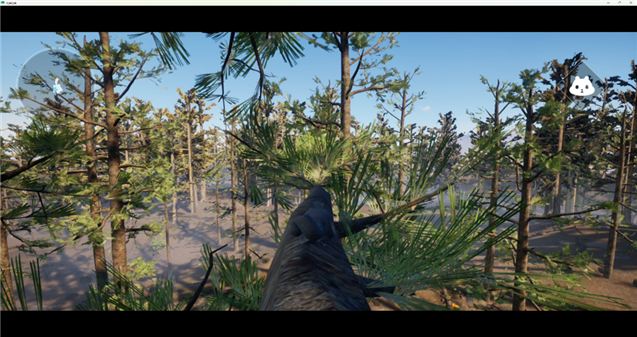
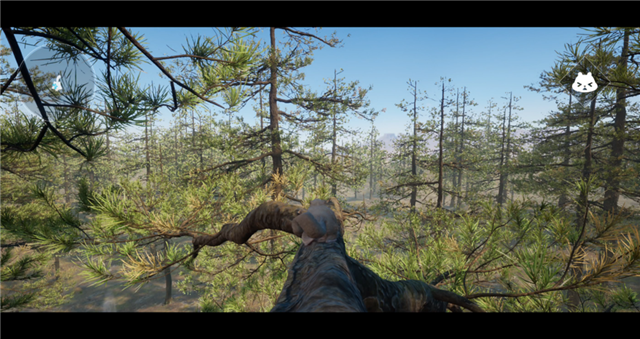
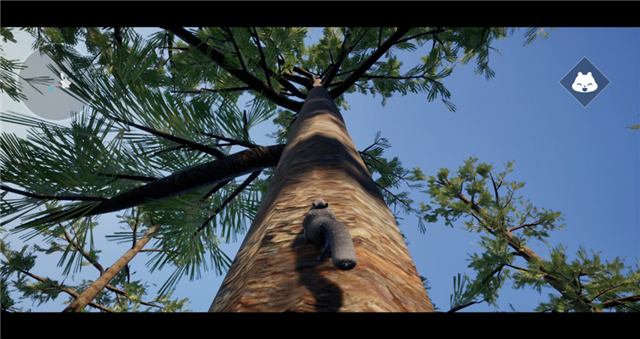
These performance optimizations helped us to balance visual fidelity and performance. The goal was to achieve the frame rate required for a smooth and responsive mobile experience while maintaining high visual fidelity. The following images show a comparison between the original Mori project and the Nanite-enabled version, highlighting the visual enhancements realized through this approach.
| Mori | Mori with Nanite |
 |
 |
 |
 |
 |
 |
 |
 |
 |
 |
 |
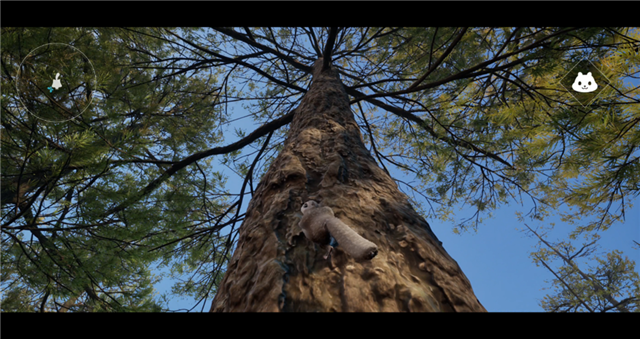 |
Nanite improved visual quality in the Mori project. It enabled the use of highly detailed assets with very high polygon counts while maintaining a balanced level of performance on mobile hardware. The project demonstrates that Nanite can improve visual quality while maintaining reasonable performance on mobile devices however, there is still more work to do. Several areas still require improvement, for example, the scene feels static due to the absence of wind and foliage animation, such as leaf and grass movement. The limited variety of materials also reduces environmental detail and variation. These areas provide opportunities for further refinement and experimentation in future iterations.
References
- Nanite Compute Material Optimizations. Epic Games Developer Community. “Unreal Engine: Fortnite Nanite Compute Material Optimizations.” Available at: epicgames.com/community/learning/knowledge-base/qBx7/unreal-engine-fortnite-nanite-compute-material-optimizations
- Nanite Virtualized Geometry in Unreal Engine. Epic Games Documentation. “Unreal Engine’s Virtualized Geometry System: Benefits, Supporting Features, and Visualization Modes.” Available at: epicgames.com/documentation/en-us/unreal-engine/nanite-virtualized-geometry-in-unreal-engine#visualization-modes
- Take a Deep Dive into Nanite GPU-driven Materials. Unreal Engine Blog. Available at: com/en-US/blog/take-a-deep-dive-into-nanite-gpu-driven-materials
- Karis, B. Nanite: Virtualized Geometry for Real-Time Rendering. SIGGRAPH Advances 2021. “Nanite — Advances in Real-Time Rendering.” Available at: realtimerendering.com/s2021/Karis_Nanite_SIGGRAPH_Advances_2021_final.pdf

By Powen Yang
Re-use is only permitted for informational and non-commercial or personal use only.
