Using GitHub Arm-hosted runners to install Arm Performance Libraries
In this blog post, learn how Windows developers can set up and use Arm-hosted Windows runners in GitHub Action.
By Waheed Brown

If you are a Windows developer, you can use GitHub Runners to automate your application builds and speed up adoption of Windows on Arm. Use runners to install Arm Performance Libraries (APL). These libraries help accelerate numerical operations and scientific computing.
What are GitHub self-hosted runners?
Runners are machines that execute jobs in a GitHub Actions workflow. GitHub now supports Arm-hosted Windows runners, so you can easily run workflows on in the cloud without having to manage your own infrastructure.
Arm-hosted runners are fully managed by GitHub. This allows you to choose a Windows on Arm environment to run GitHub Actions workflows. GitHub orchestrates the workflow jobs and you run them in a fully managed environment.
Arm-hosted runners are available for both private and public repositories, subject to standard usage limits.
How do I create a GitHub Arm-hosted runner?
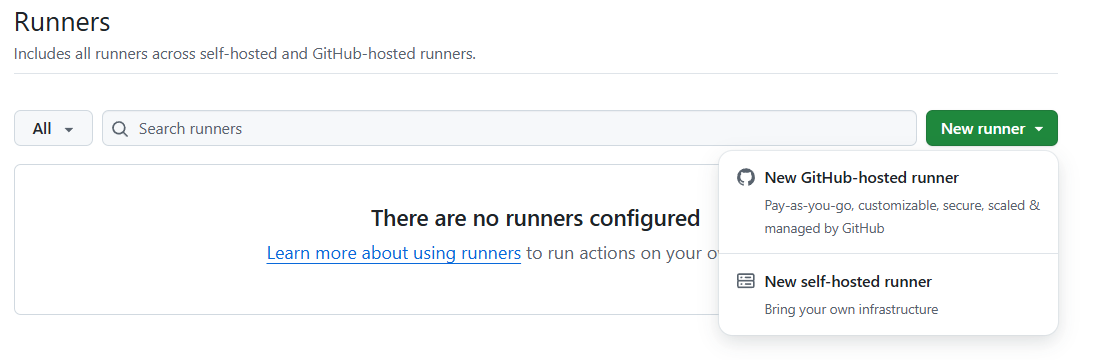
You create Arm-hosted at the organization or repository level. In your organization or repository, select the Settings tab. In the left pane, select Actions > Runners. On the Runners page, click New GitHub-hosted runner in the top-right corner.
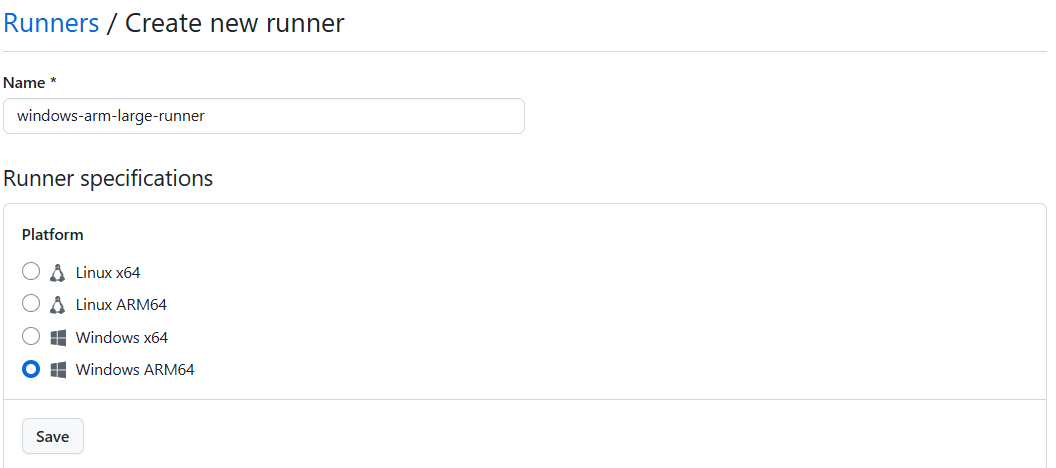
Next, choose Windows ARM64 for the platform.
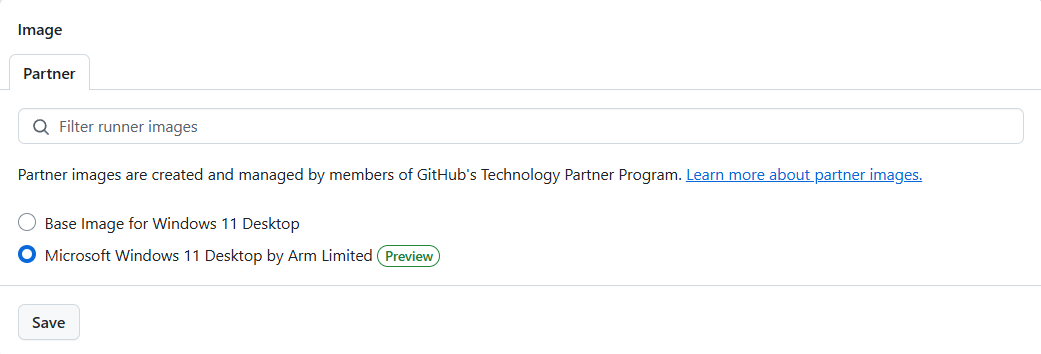
Specify the operating system image for the runner. Select Microsoft Windows 11 Desktop by Arm Limited, and click Save.
Select the default values for the remaining options, and click Create runner. Remember the runner name so you can use it in your workflows with the runs-on label.
Programmatically install Arm tools, like Arm Performance Libraries
Arm Performance Libraries (APL) provides optimized core math libraries for numerical applications on 64-bit Arm-based processors. APL accelerates machine learning (ML) and high-performance computing (HPC) workloads.
APL includes scientific computing libraries like BLAS, LAPACK, FFT, and sparse linear algebra functions. APL is also compatible with popular numerical libraries and programming models, like Fortran, C and Python via SciPy.
Add a step in your GitHub Actions workflow to install APL:
# example-workflow.yml
jobs:
  example-job:
    runs-on: windows-arm-larger-runner
    steps:
      - run: |
          winget install --accept-package-agreements --id Arm.ArmPerformanceLibraries --version 25.07
What is Next?
To learn more about GitHub Self-hosted Runners on Windows on Arm, check out the below link to the Arm Learning Path.

By Waheed Brown
Re-use is only permitted for informational and non-commercial or personal use only.
