Check
Know the target is ready.
Verify the host, SSH connection, target, and hardware before deploying.
topo health --target user@target.example
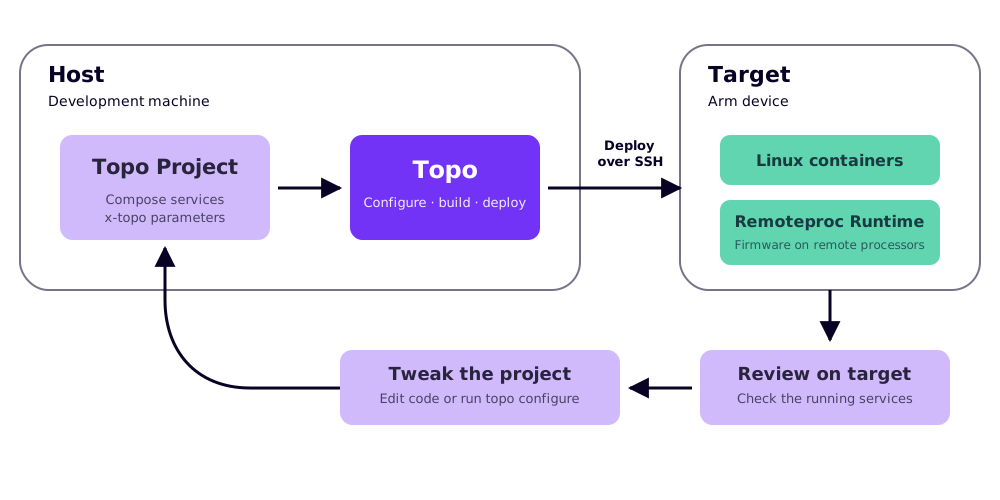
Discover container-based projects which unlock the potential of your Arm device. Configure them for your use case. Deploy and iterate over SSH.
Getting started
Install Topo and deploy your first project.
Project specification
Add Topo metadata to a standard Compose project to enable hardware compatibility matching and configuration.
Development
Work on Topo itself and follow the contributor workflow.
Topo workflow
Check device features and health, find compatible projects, and deploy over SSH without replacing your existing container workflow.
Verify the host, SSH connection, target, and hardware before deploying.
topo health --target user@target.example
Match projects to the capabilities available on the target device.
topo projects --target user@target.example
Copy and configure a project on the host.
topo clone https://github.com/Arm-Examples/topo-welcome.git
Configure, build, transfer, and start the Compose project on the target.
topo deploy --target user@target.example