AArch64 Linux on-the-go just got better, much better
Arm attends a Linux Install Fest and speaks to lead developer, Lee Jones, about Linux on AArch64 laptops.

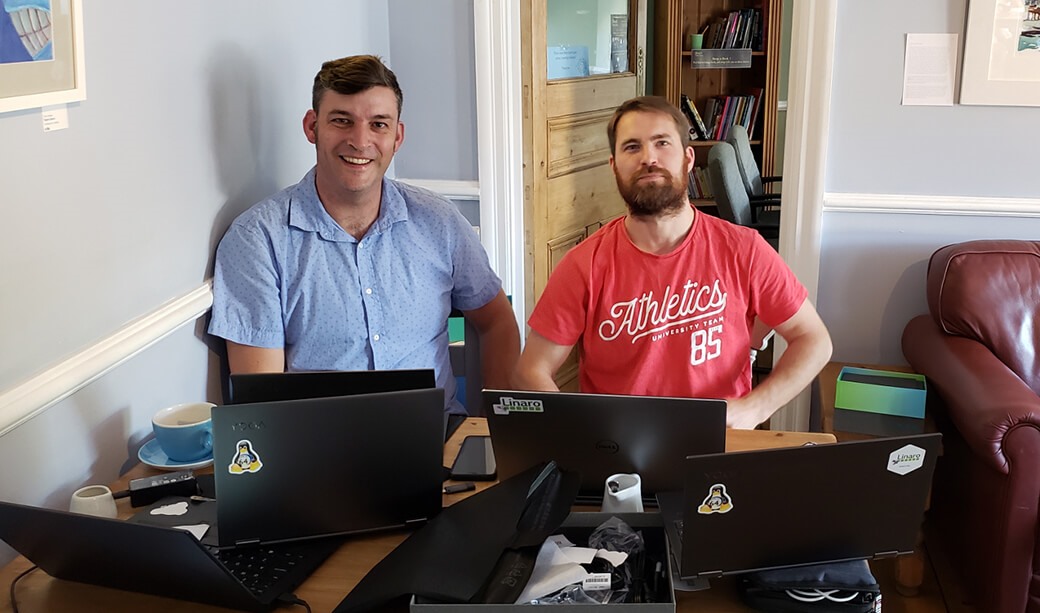
I first introduced the Qualcomm laptop in a previous blog post. But much has changed since then. I went to Bristol to chat to one of the lead developers, Lee Jones, and fulfill the dream of a lifetime: attend a Linux install fest.
Attending a Linux install fest
Laptops are a hugely popular choice for developers. They are portable and powerful enough to run all the applications needed on a daily basis. Linux offers a further benefit: the tools and applications are typically freely licensed, which means they can be modified (if needed), built and released without needing to align with a third-party.
Linux install parties feel less common now than they were in olden times. They are so uncommon that I had to arrange my own in order to find one.
Modern Linux distributions download to a USB stick, boot without issue, resize existing OS partitions, install their boot loaders and maintain any pre-existing OS that was present before you chose to install Linux. Nevertheless, we were playing with a new platform in the form of the Lenovo Yoga C630 so I thought it made sense to invite Lee and some of his colleagues from Linaro along to help out and provide commentary.
Q&A with Lee Jones
Lee, how long have you been using Linux?
I started using Linux in my spare time when serving in Bosnia in 2003. In a subsequent tour to Iraq, I mobilized specifically to work as a Network Engineer/System Administrator. That path led me to The University of the West of England, where I studied Computing for Real-time Systems, which was centered mostly around Linux.
What do you like about Linux?
I love the configurability and the fact that everything is available from the standard repositories. For instance, I need an File Transfer Protocol (FTP) server. This is trivial in Linux: install, add configuration, start the service. I like the control and dominance that you have over the entire operating system. The intrinsic openness means I can change things I dislike and fix errors as I encounter them.
What is your preferred Linux distro?
That’s easy, it's Ubuntu. Although I must confess a bias as I joined Canonical as my second role out of University. That position involved developing and supporting the Linux kernel for the Arm based TI Beagle and Panda development boards.
What do you think the new challenges for Linux are?
We still haven’t dominated the desktop. This is a shame because Linux is huge in all other aspects: right from the smallest to the very largest platforms, microwaves to supercomputers. My father now uses Linux, as it’s easier for me to administer and maintain remotely. He bought a new laptop recently and his first request for me was to install Ubuntu because he couldn’t work out the complexities of Windows. I think the problem is not the maturity of the platform, but the resistance to change.
Have you ever been to a Linux install fest?
I have now!
What options are available today to run Linux on the Lenovo Yoga C630?
Future firmware updates will probably be made available through the pre-installed Windows 10, so it is probably a good idea to maintain the installation. To do this, dual boot is the best way forward, but with Linux as the default.
There are a few options at the time of writing:
- Dimitri’s Installer: At the time of writing, this is available on the Ubuntu site. This makes the install trivial. It has a limitation that it is restricted to Ubuntu. One of our goals is to make any generic installer work on this platform, so this is not a complete solution for my work. However, it is very convenient and with the current plan it will be upgradable.
- Leif’s DTBloader EFI module: This is available from Linaro. This is a nice method to move the platform towards EBBR compliance. The main limitation is that the user will be responsible to manually update the Device Tree when new ones become available. Another problem is that the DTBLoader is Embedded Base Boot Requirements (EBBR) compliant and only has options to supply the kernel with a Device Tree Blob (DTB). This means there is no Advanced Configuration and Power Interface (ACPI) booting while the module is installed.
- ACPI: This is a convenient method because post Linux v5.3 the kernel can take the installed ACPI tables (located in the firmware) and use them to boot. Currently, the support for advanced features such as Hardware Graphics Acceleration (using the GPU), Wifi, and Power Management are not enabled. To enable support, we require direct assistance from Qualcomm due to the black-box nature of each of the components.
- Prebuilt Ubuntu images: These are convenient and run off a USB stick. This is a double edged sword since it means you’d have a USB stick attached at all times. They should be upgradeable, but we are not expecting the pre-built images to be maintained or updated in the future due to lack of funding. They are great for prototyping.
- Edit an existing Distribution Installer: This is a bit more involved, but still fairly trivial for most Linux Power Users; download the installer, copy the files on your development machine, swap the installer’s kernel out for an AArch64 laptops enabled one (or Mainline v5.3+) and boot. Great if you wish to enable a currently unsupported distribution.
What is great about the Lenovo Yoga C630?
The first thing that struck me about the laptop is the form factor. It is thin, light and they keyboard is very usable. I love the fact that it runs on AArch64 and the possibilities for developing Arm-on-Arm it brings. Overall, it is a really nicely designed and developed machine. It will be even better if we can enable all of its features.
Thanks Lee!
Resources
- You can follow this work on GitHub.
- Come and say “hi” on the AArch64 Laptops IRC channel: #aarch64-laptops on Freenode.
- Join the mailing list by clicking on the button below.
Re-use is only permitted for informational and non-commercial or personal use only.
