
See Neural Technology in Action
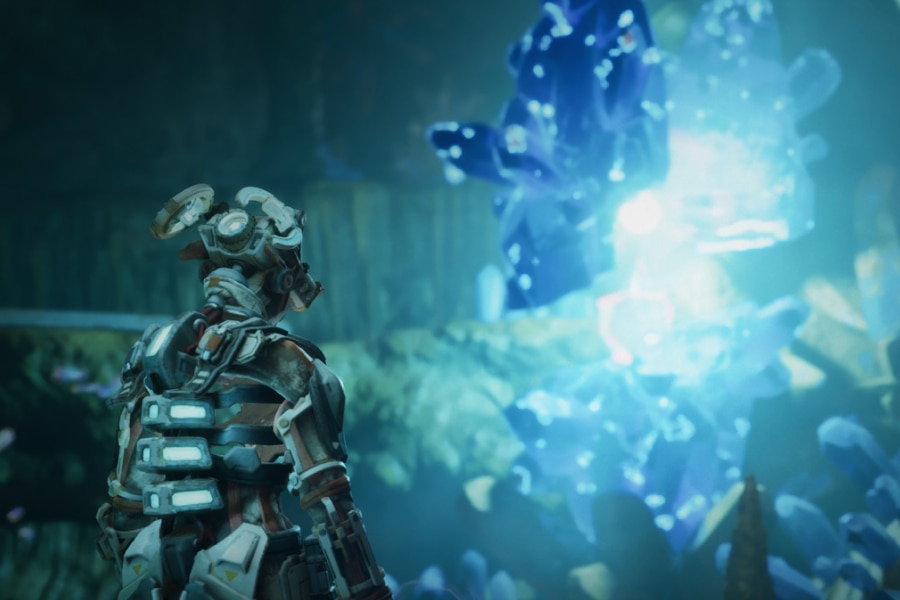
You are 43, a research scientist sent beneath the surface by Cleo, the scientist leading humanity’s final attempt at survival. Guided by the light, you must venture deeper into a mysterious underground world, uncovering forgotten research, piecing together fractured memories, and discovering what happened to those who came before you. But the deeper you go, the harder it becomes to distinguish the natural from the artificial, or memory from reality.
Neural Dawn is a cinematic, atmospheric journey into the unknown, a story of discovery, identity, survival and the next evolution of humanity.
Powered by Arm Neural Technology, Neural Dawn brings this world to life with neural upscaling, denoising, frame generation, Unreal Engine 5.6.1 MegaLights, advanced ray-traced lighting, and dynamic shadows - demonstrating new possibilities for immersive worlds and visual storytelling on mobile.
Download Neural Dawn
Get started with Neural Dawn. Check your device is supported, then choose how to install the game.
Neural Dawn is currently supported on the following devices powered by the Arm Mali G2-Ultra NX GPU:
OPPO
OPPO Find X10 Pro Max
vivo
vivo X500 Pro
vivo X500 Pro Max
Xiaomi
Xiaomi 18 Fold
Xiaomi Pad 9 Pro Max
By downloading, installing, or otherwise using Neural Dawn, you agree to be bound by the terms of the Neural Dawn End User License Agreement.
Download APK
Follow these steps to install Neural Dawn on your compatible Android device.
- Download the APK onto your compatible Android device.
- Open the downloaded file.
- Allow installation if prompted.
- Install and launch Neural Dawn.
vivo Store
Follow these steps to install Neural Dawn from the vivo Store on your compatible Android device.
- Scan the QR code or open the link below on your device.
- Follow the store instructions to download and install Neural Dawn.
- Launch the game.

For the best experience playing Neural Dawn, set your screen refresh rate to 60 Hz using the instructions for your supported device below. Explore the in-game settings to customize your gameplay preferences, including language options.
vivo
Settings > Display, brightness & eye protection > Screen refresh rate > Standard.
OPPO
Settings > Display & brightness > Screen refresh rate > Standard.
Xiaomi
Settings > Display & brightness > Refresh rate > Custom > 60 Hz.
MegaLights on Mobile: Pipe Dream or Reality?
How Arm and Sumo Made It Possible
Watch our on-demand livestream with Epic Games. See how Neural Dawn integrates MegaLights and neural rendering inside Unreal Engine, with breakdowns from Arm and Sumo engineers.
Explore the Technology Behind Neural Dawn
Get started with the new Neural Technology Playbook - Integrate to evaluate and integrate neural graphics into your games. Explore Unreal Engine plugins, open and trainable models, and sample code in the Neural Graphics Development Kit.
Updates and Support
Join Early Access Program
Get updates about new Neural Dawn features, supported devices and related Arm Neural Technology resources.
Get Support
Have questions about Neural Dawn or Arm Neural Technology? Contact the Neural Dawn team for technical support, assistance, or to share feedback on your experience.
See What’s Next for Mobile Gaming
Explore the latest news on Arm technology and the industry partnerships shaping the future of mobile graphics and gaming.
Frequently Asked Questions
Neural Dawn is a production-quality Unreal Engine mobile game created by Arm and Sumo to demonstrate Arm Neural Technology, MegaLights and mobile ray tracing.
Arm Neural Technology uses machine learning to improve image quality, increase frame rates, and reduce GPU workload in mobile games. It includes Neural Super Sampling (NSS), Neural Frame Rate Upscaling (NFRU), and Neural Super Sampling and Denoising (NSSD).
The best approach is to start small, validate what works in your own content, and expand from there. You can replicate parts of what Sumo built today, especially with NFRU and NSS, which integrate like a typical engine feature and are designed for easy evaluation. The full setup used in the project (specifically NSSD with MegaLights) involves deeper pipeline changes and isn't a plug-and-play solution in Unreal today. In the Neural Technology Playbook, we walk you through our journey with Neural Dawn and share how you can get started.
Developers can achieve up to 50% GPU workload reduction with Neural Super Sampling (NSS), and up to 2x frame rates with Neural Frame Rate Upscaling (NFRU). NFRU also supports sustained gameplay by reducing GPU load and power draw, which helps avoid thermal throttling and keeps frame rates stable for longer.
NFRU is available through the Neural Graphics Development Kit. You can access the Neural Graphics Development Kit here.
Neural Dawn is supported on the devices listed in the Check your device section above. Confirm the current list before downloading.
Check that your device is supported, then download the APK and follow the installation instructions above.
The End User License Agreement sets out the terms of downloading and using Neural Dawn. Review it before installing.
The game may not install, launch or work as intended.
Contact the Neural Dawn team at neuraldawn@arm.com.
